



Every Shopify merchant has run a straight percentage-off sale at some point. Twenty percent off sitewide, a banner across the homepage, a short bump in orders, then nothing. Flat discounts eat into margin and rarely stick in a shopper's memory. Buy One Get One offers work differently. When shoppers see a BOGO deal next to a percentage discount of equal value, they pick the BOGO roughly three times more often. This guide covers 15 BOGO formats that Shopify merchants actually use to move more units per order, along with how to set each one up without hiring a developer.
Why BOGO Still Beats a Straight Discount
A "50% off your second item" sign and a "20% off everything" sign can represent the exact same margin hit, but shoppers respond to them very differently. Free feels like a reward. A percentage feels like arithmetic.
The data backs this up. Nearly half of shoppers would switch to their favorite store's biggest competitor for a BOGO deal. Around 80% of promotions that use the word "free" are structured as BOGO. During the holiday season, 4 in 10 shoppers actively look for BOGO offers before they buy anything else. And industry benchmarks put the AOV lift from bundling and BOGO-style offers at 20% to 35% for the average Shopify store, with the strongest implementations pushing past 50%.
None of that means every BOGO offer works equally well. The format matters. A flat "buy one get one free" makes sense for a $12 candle. It makes far less sense for a $180 jacket. That's why merchants need more than one format in the toolkit.
15 BOGO Offer Formats Shopify Merchants Are Using
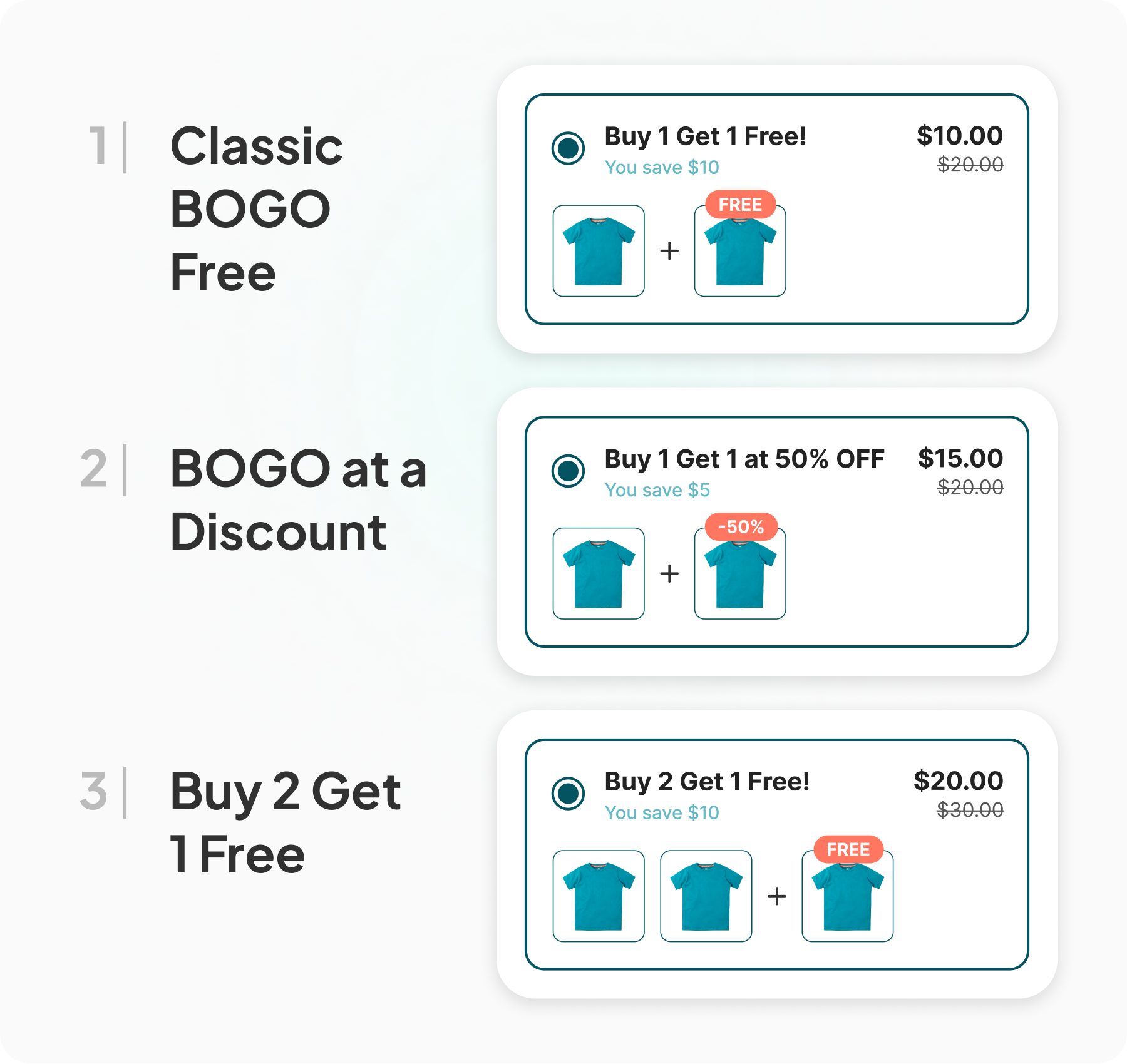
1. Classic BOGO Free
Buy one unit, get a second identical unit at no cost. This is the format most shoppers already recognize, which makes it the easiest one to run without any explanation on the product page. It works best on low-cost, low-margin-risk items where the unit economics still hold up once you give one away: candles, socks, snack bars, small skincare items.
The trade-off is margin. A true 50% giveaway only makes sense if your cost of goods leaves enough room. If it doesn't, move to the next format.
2. BOGO at a Discount
Instead of giving the second item away entirely, the shopper gets it at 30%, 40%, or 50% off. This protects margin while keeping almost all of the psychological pull of a "free" offer. It's the format most apparel and accessories brands land on once they've tested a full BOGO and watched their margin shrink.
Frame the second item's discount clearly on the widget. "Buy one, get the second 40% off" reads better than a vague "mix and match savings" label.
3. Buy 2, Get 1 Free
A quantity-based variant: the shopper adds three units, pays for two, and the third is free. This performs well for consumables and anything with a natural repeat-purchase cycle, since it nudges the order size up a full tier rather than just a pair. Supplement brands, coffee roasters, and skincare routines commonly use this exact structure because it maps to how customers already buy multiples of the same product.
Also Read: Quantity Break Pricing: How to Increase AOV Without Heavy Discounting
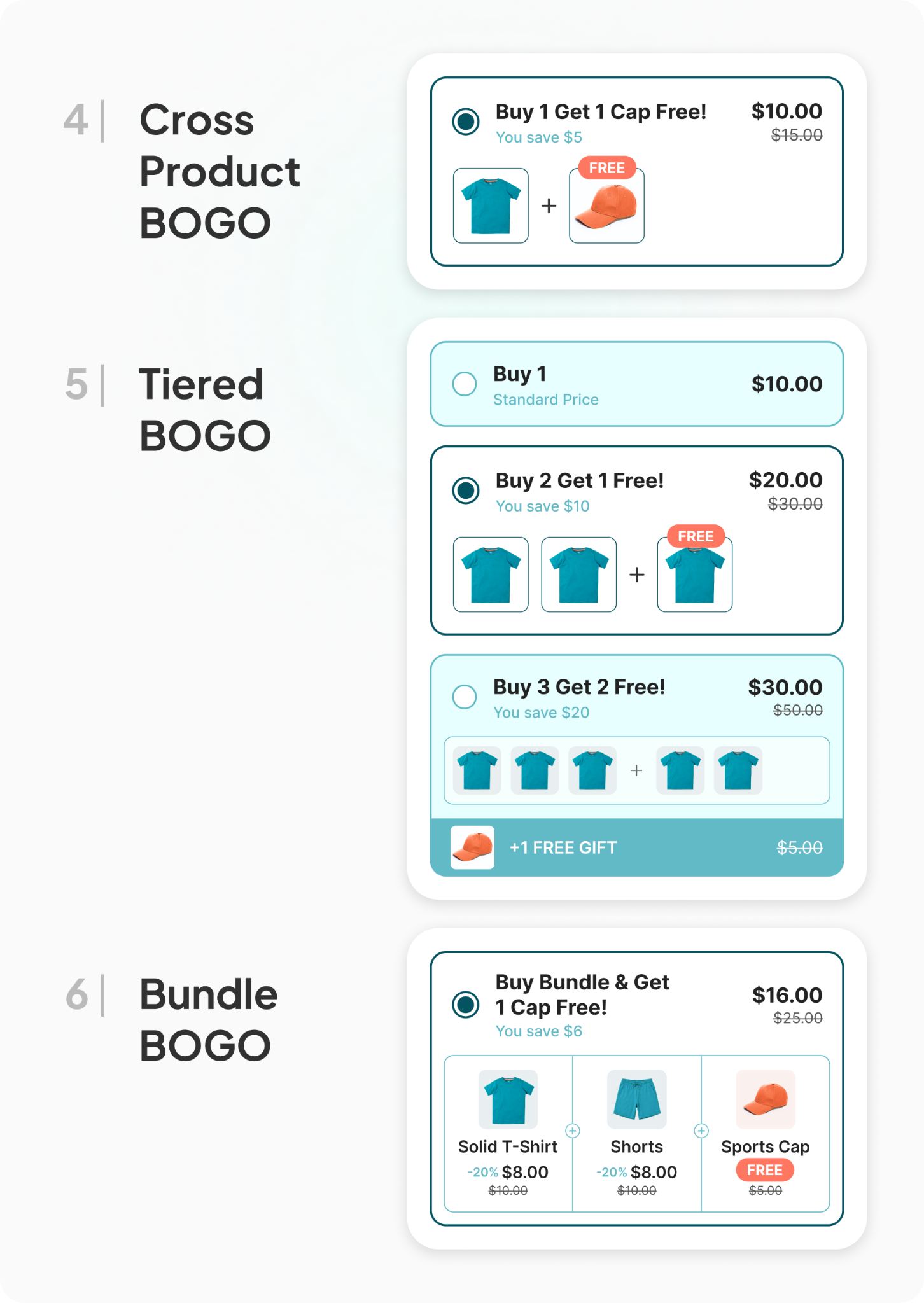
4. Cross-Product BOGO
Buy Product A, get Product B free or discounted, where A and B are different items. This is the format for stores that want to introduce a second product line to existing buyers. A skincare brand might pair a best-selling moisturizer with a free sample-size cleanser. A pet brand might pair a bag of food with a free treat pouch.
Cross-product BOGO also works as a way to clear slower-moving inventory by attaching it to a strong seller, as long as the pairing still makes sense to the shopper.
5. Tiered BOGO
Instead of one flat offer, the shopper sees multiple tiers side by side: buy 1 and get 10% off the second, buy 2 and get one free, buy 3 and unlock an even bigger break. Showing all tiers at once, rather than a single offer, lets shoppers compare and self-select the option that fits their basket. This is closer to a quantity-break structure than a pure BOGO, and it consistently pushes average order size higher than a single fixed offer because the highest tier is visibly the best deal.
6. Bundle BOGO
The shopper buys a pre-built bundle of two or three complementary products and a fourth item is added free. This differs from a straight multi-buy discount because the bundle itself is the primary offer, and the free item functions as the closer. A skincare "starter kit" bundle with a free travel-size add-on is a common version of this. It works particularly well for gift-oriented purchases, where the free item reads as a bonus rather than a discount.
Also Read:
Build Your Own Bundle on Shopify: The Highest-Converting Format for DTC Brands
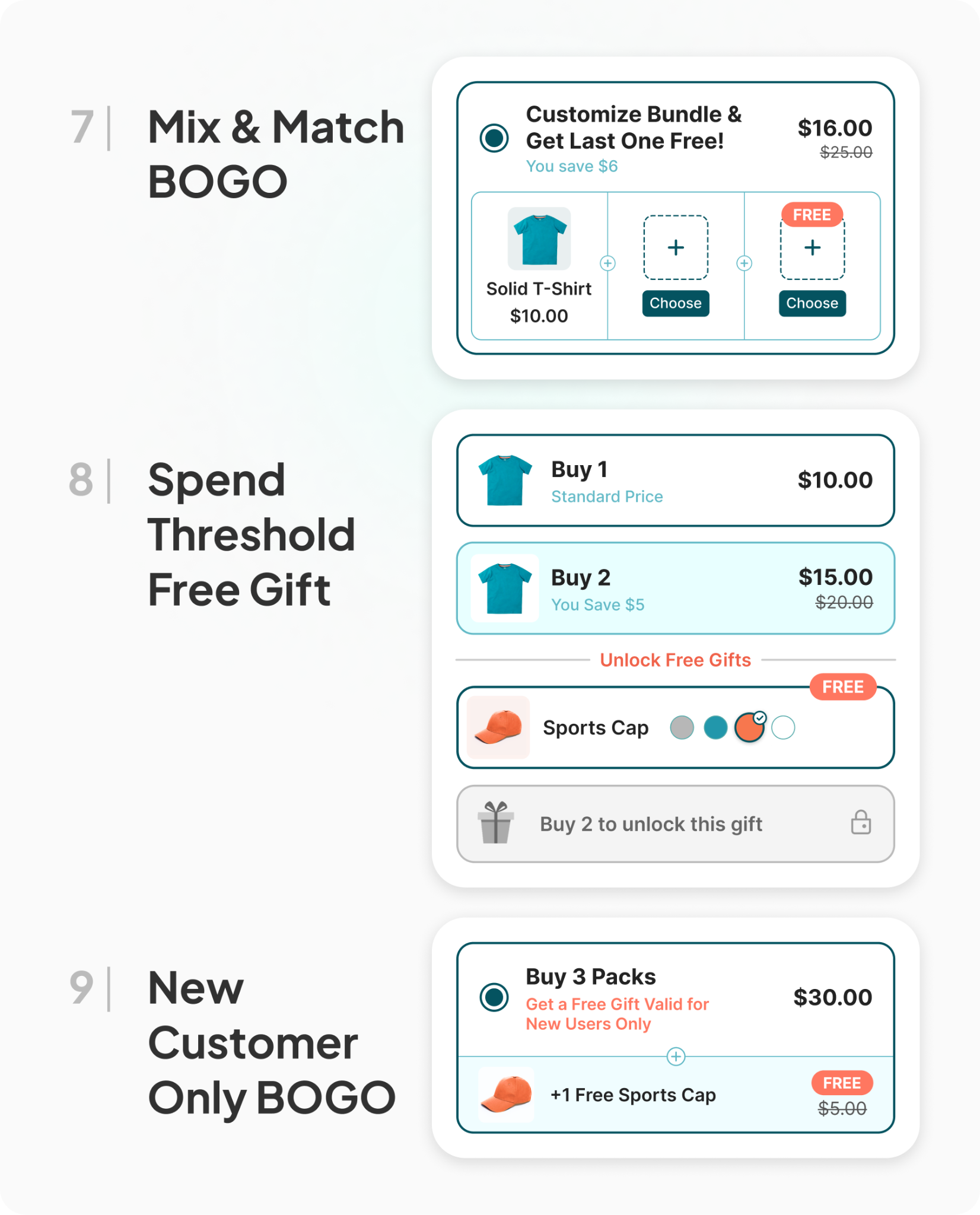
7. Mix and Match BOGO
Shoppers pick any two or three items from a defined product group, and the lowest-priced item is free or discounted. This format removes the friction of "the free item has to be this exact product," which matters for stores with wide catalogs of similar-priced items: candle scents, protein bar flavors, sock colors. Letting the shopper choose keeps the offer feeling generous instead of restrictive.
Also Read: Mix & Match Bundles: The Ultimate Guide for Shopify Merchants
8. Spend-Threshold Free Gift
Rather than tying the free item to a specific product purchase, the offer triggers once the cart crosses a dollar amount. Spend $75, unlock a free gift. Spend $120, unlock a better one. This format works alongside a BOGO rather than replacing it, since it rewards basket size directly instead of unit count, and it's especially effective for stores where products vary widely in price.
9. New-Customer-Only BOGO
The BOGO offer is restricted to first-time buyers, usually surfaced through a welcome popup, an email flow, or a landing page built for paid traffic. This format exists to solve a specific problem: acquisition cost. A BOGO deal reserved for new customers converts cold traffic at a lower cost per acquisition than a generic discount, because the offer feels bigger even when the actual margin cost is comparable to a smaller sitewide sale.
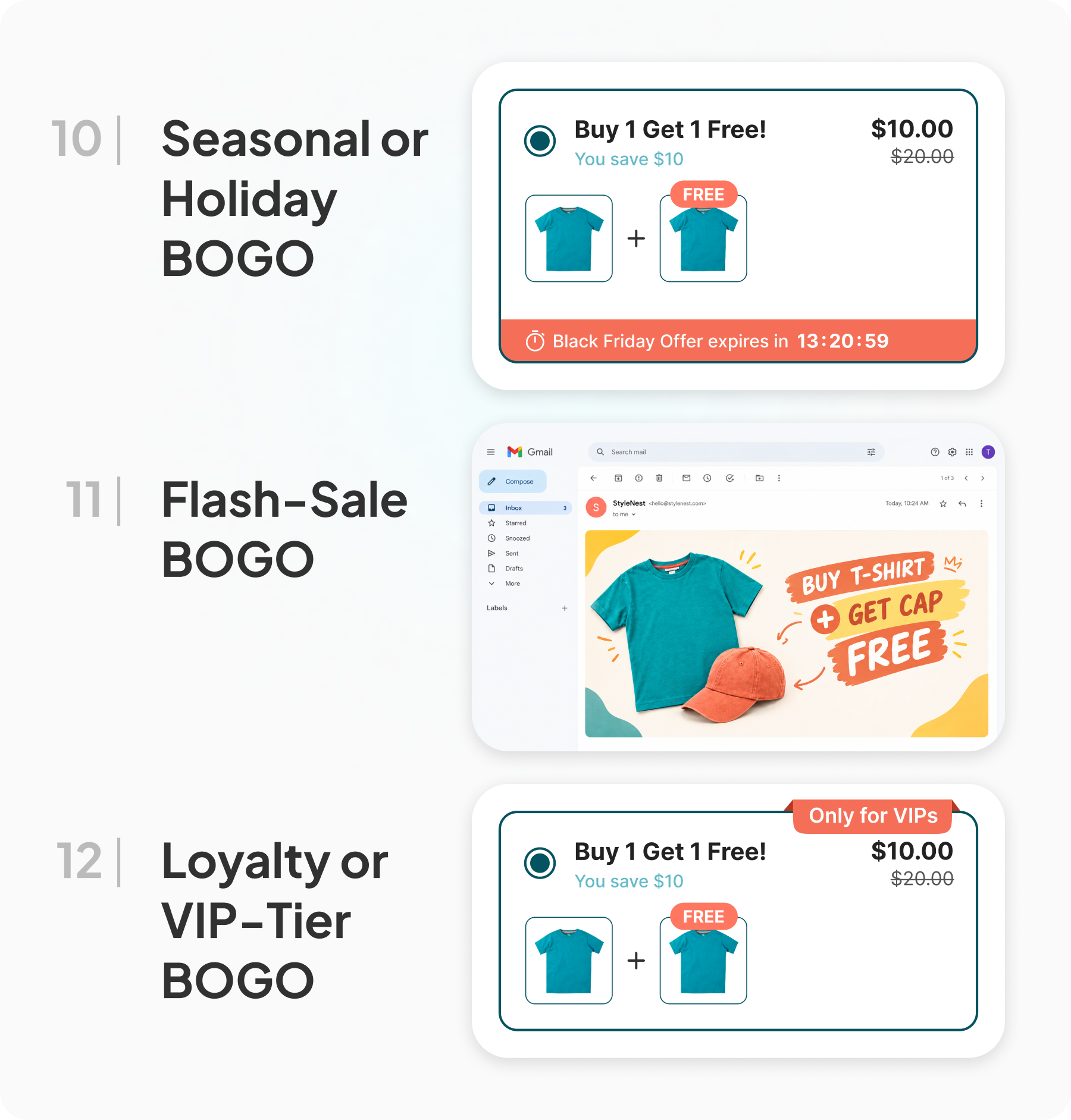
10. Seasonal or Holiday BOGO
Time-bound BOGO offers tied to a calendar moment: back-to-school, Valentine's Day, Black Friday, a end-of-season clearance. These convert well because the urgency is built into the calendar itself rather than a countdown timer the shopper has to trust. Holiday BOGO offers also give merchants a clean reason to clear seasonal inventory before it becomes dead stock.
Also Read:
11. Flash-Sale BOGO
A short, clearly time-boxed BOGO, often 24 to 72 hours, promoted through email and social rather than sitting quietly on the product page year-round. The scarcity does real work here. A flash BOGO tends to pull forward purchases from shoppers who were already considering the product but hadn't committed, which makes it a strong tool for clearing a specific SKU quickly rather than a store-wide strategy.
12. Loyalty or VIP-Tier BOGO
The BOGO offer is only visible to customers in a specific loyalty tier or those who've made a prior purchase. This reframes the offer as a reward for existing relationship rather than a blanket discount, which protects full-price sales to new or lower-tier customers while still giving your best customers a reason to buy more per order.
13. Referral BOGO
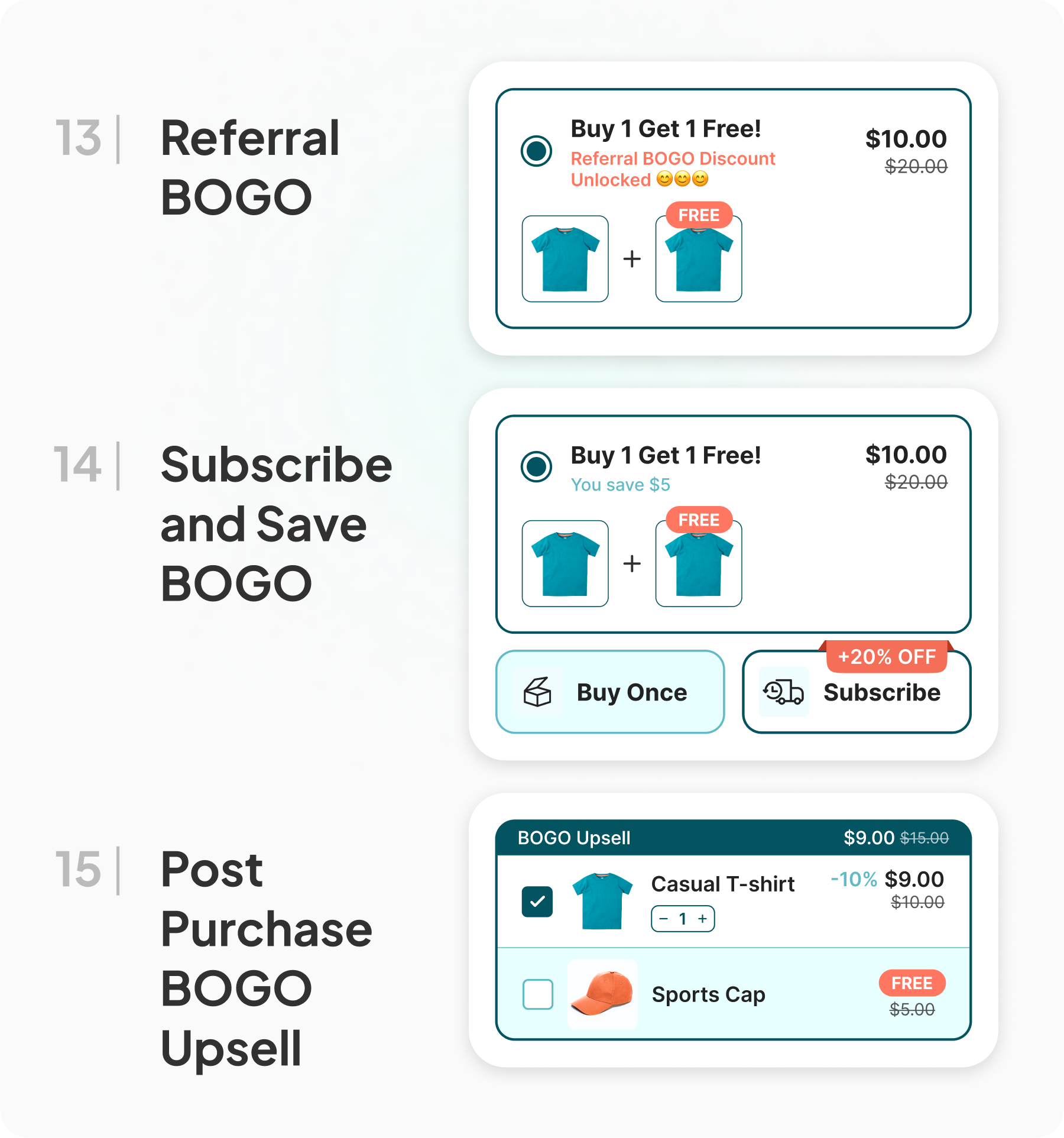
A customer refers a friend, and either the referrer, the new customer, or both unlock a BOGO offer. This ties directly into acquisition rather than AOV alone, but it belongs on this list because the mechanism, the offer, and the widget experience are the same as any other BOGO. It performs best for products with a natural social or gifting angle, where recommending a product to a friend already feels normal.
14. Subscribe and Save BOGO
The shopper gets a free or discounted second unit specifically when they choose a subscription instead of a one-time purchase. This format does double duty: it grows the first order and it locks in a recurring customer. For consumables and anything with a repeat purchase cycle, pairing a BOGO with a subscribe-and-save toggle on the same widget often converts better than offering the two separately, since the shopper sees the full value comparison in one place.
15. Post-Purchase BOGO Upsell
The offer appears after checkout is complete, on the order confirmation or thank-you page, rather than on the product page. Because the shopper has already entered payment details, accepting a post-purchase offer takes one click and no re-entry of card information. Post-purchase conversion rates typically run higher than in-funnel upsells for exactly this reason, since the friction is close to zero. A BOGO offer here, tied to something that pairs naturally with what the shopper just bought, is one of the few places in the funnel where you can grow the order after the sale is technically already won.
Running BOGO Offers on Shopify Without a Developer
Most of the 15 formats above sound simple in concept and get complicated fast in execution: different discount logic per tier, translated copy, a widget that matches your theme, an analytics view that tells you which format is actually working. This is where a dedicated app matters more than trying to hand-code a Shopify Function.
Pumper Bundles by Proveway builds BOGO offers as one of five offer types inside a single dashboard, alongside Buy More Save More (quantity breaks), Unlock Free Gifts, Bundle & Save, Subscribe & Save, and post-purchase upsells. The BOGO offer type supports Buy X Get Y rules for both same-product and cross-product pairings, so formats like classic BOGO, cross-product BOGO, and tiered BOGO can all be built from the same offer type without custom code. It comes with Shopify automatic discount setup.
A few setup details worth knowing before you launch:
Combination Discounts. Pumper lets you choose whether your BOGO stacks with Shopify's native Product, Order, and Shipping discounts, each as its own toggle. If you're running a sitewide sale at the same time as a BOGO campaign, check these settings first. Stacking two aggressive discounts without meaning to is one of the fastest ways to turn a good promotion into a loss.
Widgets built through Theme App Extensions. Because Pumper's widgets are delivered through Shopify's Theme App Extension framework, offers go live by turning on an app block in the theme editor. No theme file edits, no developer needed, and no risk to page load speed from injected third-party scripts.
Per-offer analytics. Once a BOGO offer is live, the analytics dashboard tracks impressions, add-to-cart rate, orders, extra revenue, and the cart-to-order conversion rate for that specific offer. That matters because the whole point of testing multiple BOGO formats is comparing them, not guessing which one is working.
Choosing the Right BOGO Format for Your Store
With 15 formats to choose from, the decision usually comes down to three questions.
What's your margin on the item? Low-margin, low-cost products can support a classic free giveaway. Anything with tighter margins should move to a percentage-based BOGO or a spend-threshold gift instead of giving away a full unit.
Do customers already buy multiples? If they do, quantity-based formats like Buy 2 Get 1 Free or tiered BOGO will outperform a flat one-to-one offer, because they nudge the basket toward a size the customer was already close to reaching.
Where in the funnel do you want the lift? Product-page BOGO formats grow the initial add-to-cart decision. Post-purchase BOGO grows the order after checkout has already started. Running both isn't redundant. They solve different problems at different moments.
Most merchants don't land on the right format on the first try. Running two or three formats at once, on different product categories, and comparing the analytics after two to three weeks is a faster way to find the winner than picking one format and hoping.
Common BOGO Mistakes That Cut Into Margin
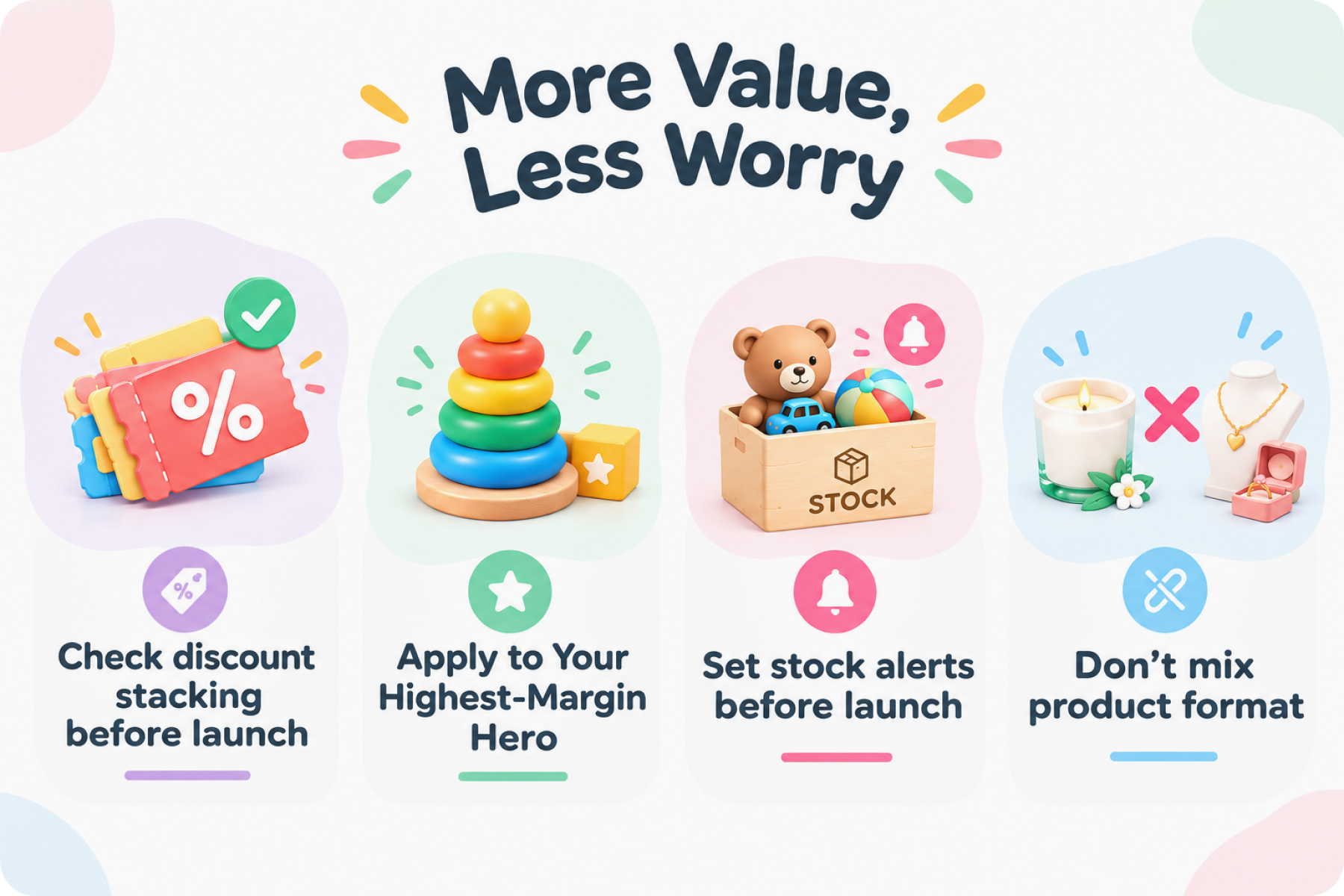
Not checking discount stacking. A BOGO offer combined with an active sitewide discount code can push your effective margin into negative territory without anyone noticing until the month-end numbers come in. Review your Combination Discount settings before every campaign launch.
Applying BOGO to your highest-margin hero product. A BOGO offer works best on products where giving away a unit or a discount still leaves healthy margin. Running it on your thinnest-margin bestseller usually costs more than it earns back in extra volume.
Ignoring inventory limits. A successful BOGO can move inventory faster than expected. Set stock alerts before launch, not after you've oversold a limited batch.
Using one format for every product. A candle brand and a jewelry brand shouldn't run the same BOGO structure. Match the format to the price point and purchase pattern of each category, not a single store-wide template.
FAQ: BOGO Offers on Shopify
What does BOGO mean in a Shopify store?
BOGO stands for Buy One Get One. On Shopify, it usually means a shopper buys one unit of a product and receives a second unit free, at a discount, or as a different product entirely, depending on how the offer is configured.
Is BOGO better than a percentage-off discount?
For most stores, yes, when the goal is unit volume rather than a blanket markdown. Shoppers consistently choose a BOGO deal over a percentage discount of equal value, and BOGO framing tends to feel like a bonus rather than a price cut. Percentage discounts still make sense for clearance or sitewide sales where the goal is different.
Do I need a developer to set up BOGO on Shopify?
No. Apps like Pumper Bundles deliver BOGO widgets through Shopify's Theme App Extensions, so merchants turn the offer on inside the theme editor without editing any code. Discount logic, tiers, and copy are all configured through the app dashboard.
Can I run more than one BOGO format at the same time?
Yes, and it's usually the fastest way to find out which format performs best for your store. Running a classic BOGO on one category and a tiered BOGO on another, then comparing analytics after a few weeks, gives a clearer answer than guessing upfront.
Will a BOGO offer conflict with other discounts on my store?
It can, if combination discount settings aren't checked. Most apps let you choose whether a BOGO stacks with Shopify's native Product, Order, and Shipping discounts. Review these settings before launching any BOGO campaign alongside an existing sale.
Getting Started
BOGO offers work because they tap into something a percentage discount can't: the feeling of getting something extra rather than paying less. The 15 formats above cover most of the ways Shopify merchants put that psychology to work, from a straightforward buy-one-get-one on the product page to a post-purchase upsell that grows the order after checkout.
Pumper Bundles runs all of these formats from one app, with a free plan available for stores generating up to $300 in extra sales and paid plans that scale with the revenue the offers actually produce. Start with one format on one product category, watch the analytics for two weeks, and build from there.
You can explore the best BOGO apps here or better yet, try Pumper Bundles today.