



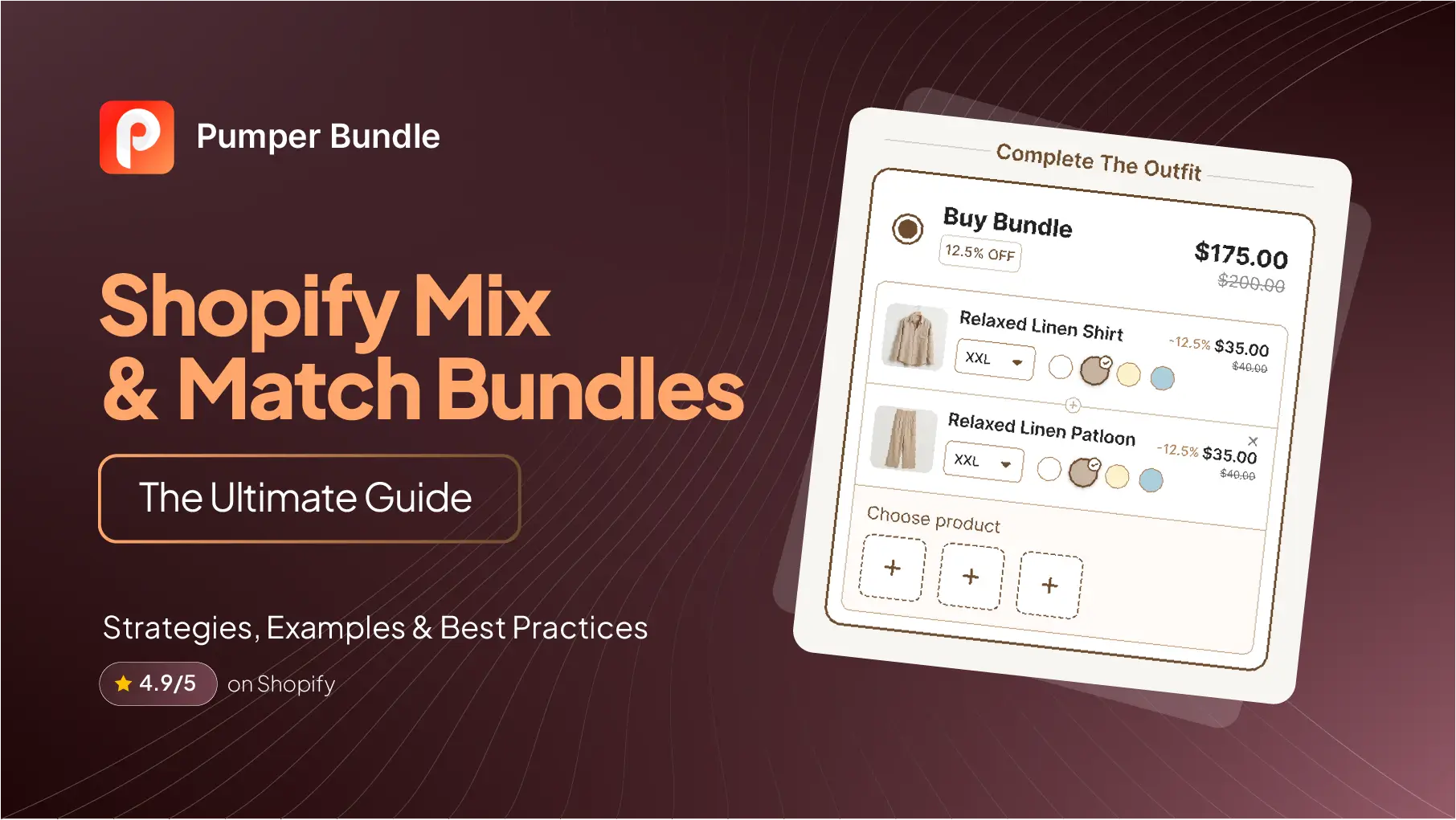
Félix & Norton, a cookie brand that moved its business onto Shopify in December 2020, built its entire online store around one page: a "build your own box" of freshly baked cookies, where shoppers pick their own flavors from a lineup of up to twelve options.
The brand describes the feature as "the heart of our online store," letting customers create exactly what they want in a way their retail partners can't match.
That's a mix-and-match bundle in its purest form: a curated pool of products, and a shopper who gets to decide exactly which ones end up in their box. It's a different mechanic from a quantity break or a fixed bundle, and it comes with its own pricing logic, its own curation problems, and its own failure modes.
This guide covers all of it: what makes a mix and match bundle actually work, real examples of brands doing it well, how to price and curate the product pool, and the setup decisions that determine whether the feature feels like a gift or a chore to use.
Key Takeaways
- A mix-and-match bundle lets shoppers choose which specific products go into a bundle from a defined pool, which is a different mechanic than a quantity break (same product, more units) or a fixed bundle (predetermined combination).
- The product pool size matters more than most merchants expect. Classic choice research (Iyengar and Lepper, 2000) found shoppers were far more likely to actually purchase from a smaller, curated set of options than an extensive one.
- Real Shopify brands have built entire product lines around this mechanic. Félix & Norton's build-your-own cookie box is one documented example; Shopify's own case studies on HiSmile and LVLY show what disciplined bundle merchandising can do at scale, even where the bundles aren't all customer-built.
- Decide your pricing model deliberately: a fixed bundle price is easier for shoppers to evaluate, while an itemized price with a stacked discount is easier to keep aligned with your margin as your catalog changes.
- Bundle completion rate, the share of shoppers who start building a bundle and actually finish it, tells you more about whether the builder is working than AOV alone does.
What a Mix and Match Bundle Actually Is
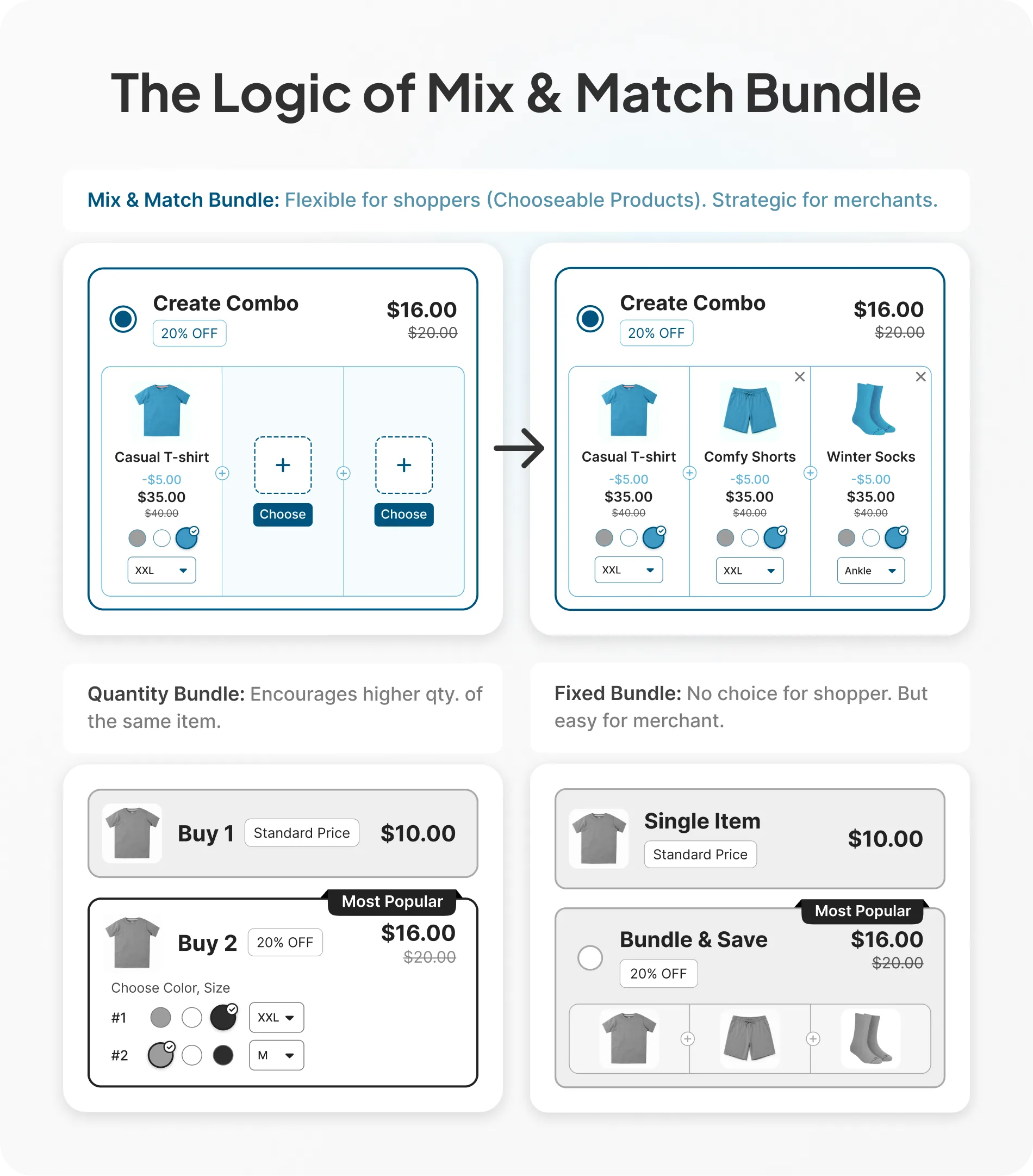
A mix and match bundle presents a shopper with a defined pool of products, sets a rule for how many they need to pick (exactly six, any three to five, and so on), and applies a bundle price or discount once they've filled it. The shopper is building something specific to them, from options you've already curated.
This is worth distinguishing clearly from two adjacent tactics. A quantity break discounts more units of the same product; there's no selection involved. A fixed bundle, sometimes called a curated bundle or a kit, is a predetermined combination the merchant assembles in advance, a cleanser plus a serum plus a moisturizer sold together. The shopper has no input on which items are included. A mix-and-match bundle sits between those two. It's more flexible than a fixed bundle, but built from a constrained pool rather than your entire catalog.
That constraint is the whole point, and it's also where most of the strategy in this guide lives.
Why Mix and Match Bundles Work (and Why Curation Matters More Than Variety)
The instinct behind a mix and match bundle is usually "give shoppers more choice, and they'll be happier with what they pick." The research on choice doesn't fully support that instinct, and understanding why changes how you should build the feature.
The Classic Choice Study
In a widely cited study, psychologists Sheena Iyengar and Mark Lepper set up tasting booths in an upscale grocery store, alternating between a limited display of 6 jam flavors and an extensive display of 24. The larger display drew more browsers, but the smaller one converted dramatically better: shoppers were about ten times more likely to actually buy when they'd seen 6 flavors instead of 24 [Iyengar & Lepper, "When Choice Is Demotivating," Journal of Personality and Social Psychology, 2000]. Participants who chose from the smaller set also reported greater satisfaction with what they picked.
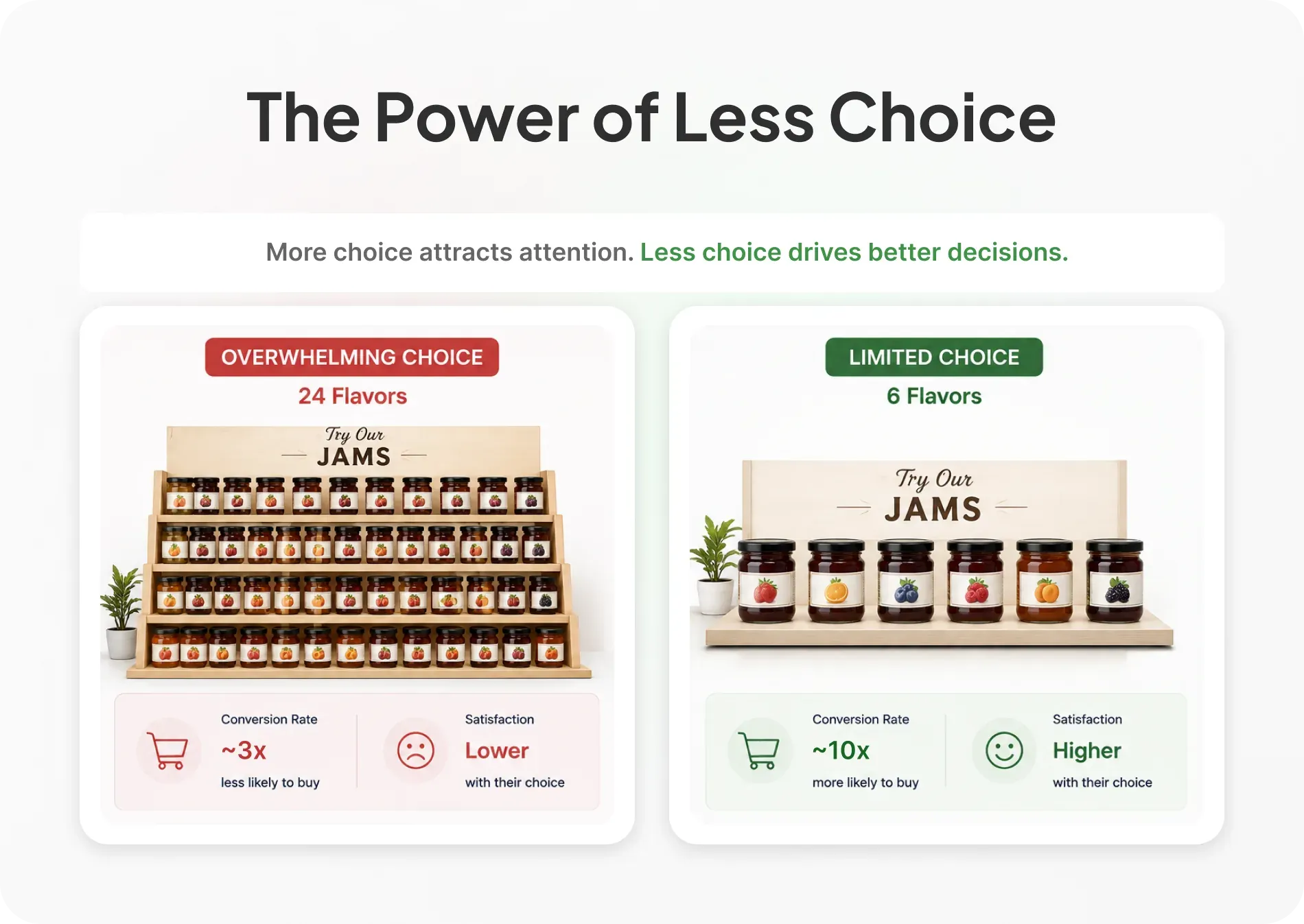
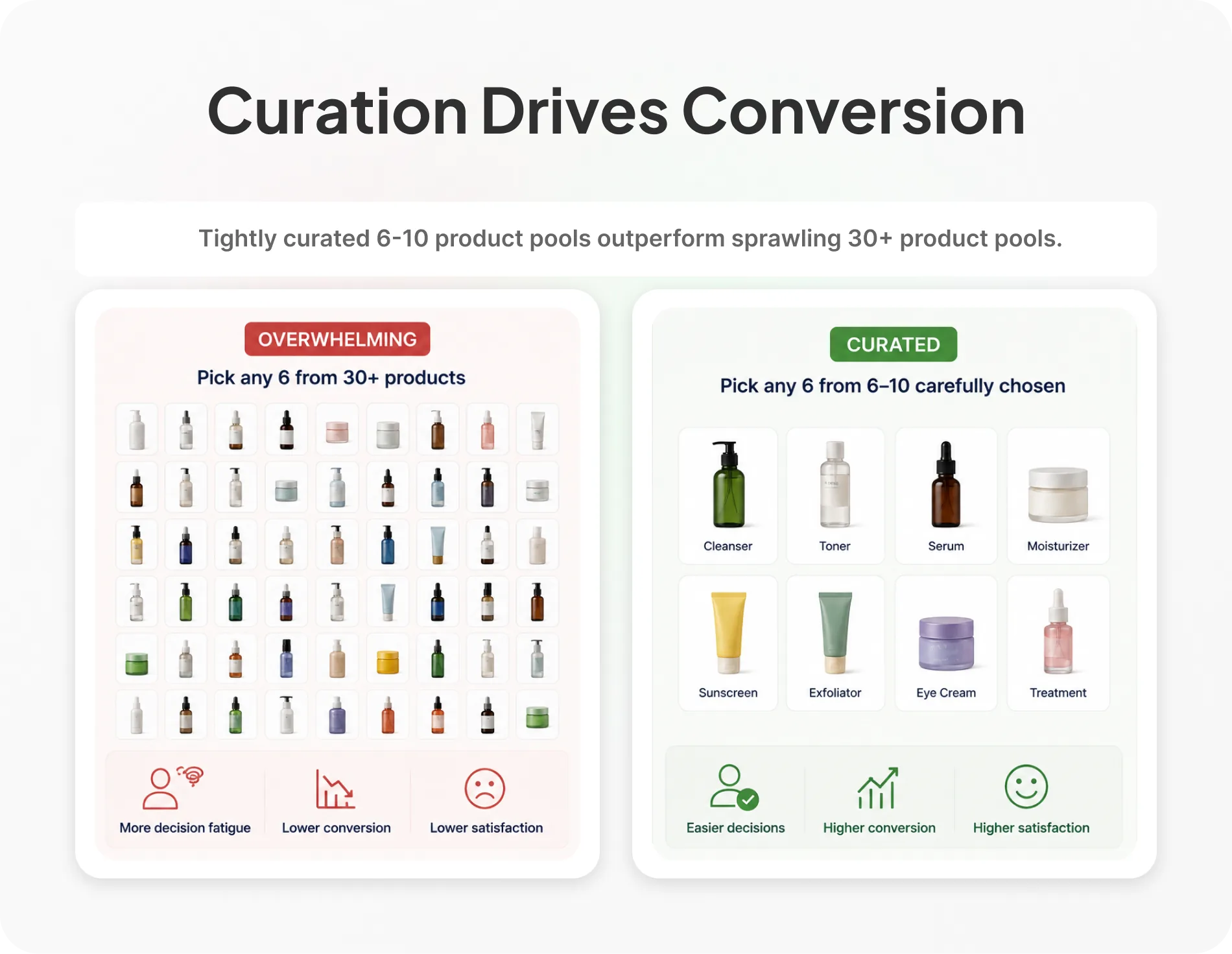
The direct implication for a mix-and-match bundle: a tightly curated pool of 6-10 well-chosen products will usually outconvert a sprawling pool of 30, even though the bigger pool looks more generous on paper. Building a "pick any 6 from our full catalog" bundle isn't more customer-friendly. It's more decision fatigue with extra steps.
Personalization Still Has to Feel Like a Real Choice
None of this means customization doesn't matter. Research on mass customization has consistently found that how well a customized product fits what the shopper actually wanted, not just the fact that they got to customize it, is what drives satisfaction with the purchase [Journal of Research in Interactive Marketing]. A mix-and-match bundle only delivers that fit if the pool is genuinely made up of products the shopper would want, not a dumping ground for slow-moving SKUs a merchant is trying to clear out. Curate the pool around what people actually reach for, not around what needs to move.
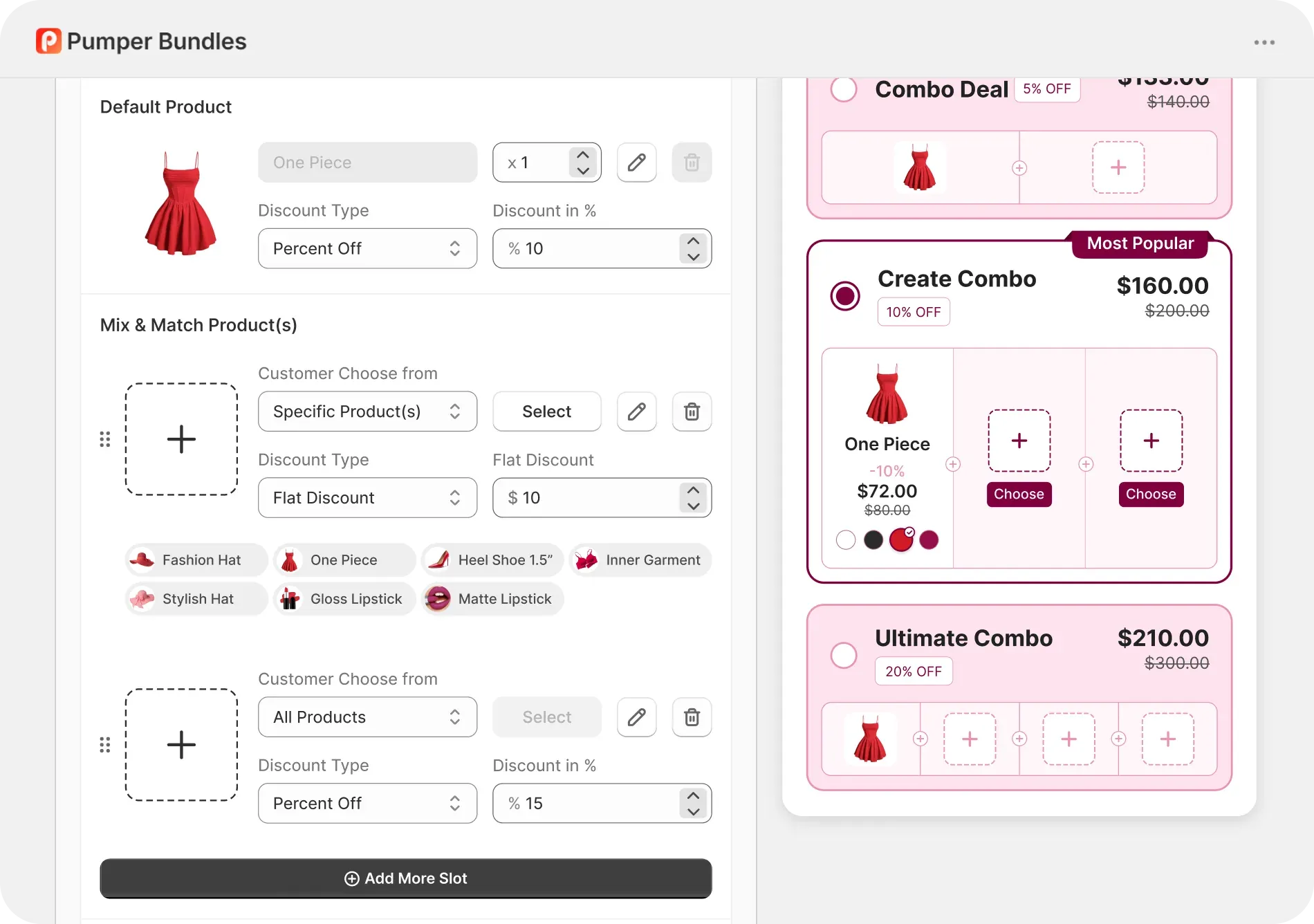
Pumper's bundles feature is built around this same principle: the merchant defines the pool up front through a "Choose Product" picker, rather than opening the entire catalog to selection by default.
Mix and Match Bundles Examples Worth Studying
Seeing how a handful of real brands have actually structured this helps more than any abstract framework.
1. Félix & Norton: Build Your Box of Cookies
Félix & Norton's build-your-own cookie box lets shoppers select from up to twelve flavors to fill a box, a mechanic the brand credits as central to its online growth since 2020.
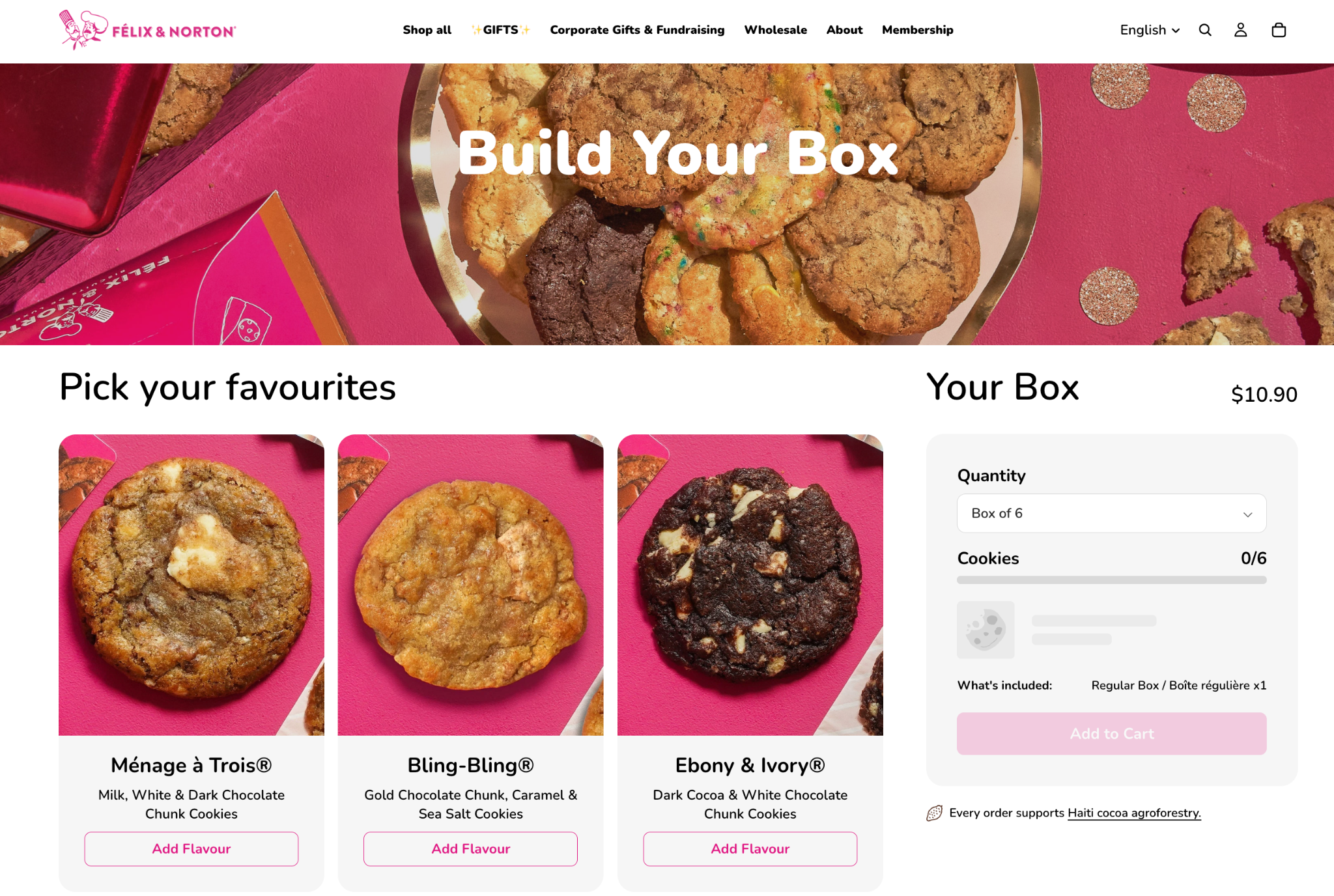
What makes this example instructive is the constraint: twelve flavors is enough to feel like real choice, but well short of the brand's full product catalog, which includes seasonal items, dough, and other formats sold separately rather than folded into the same builder.
2. HiSmile: Bundling at Scale
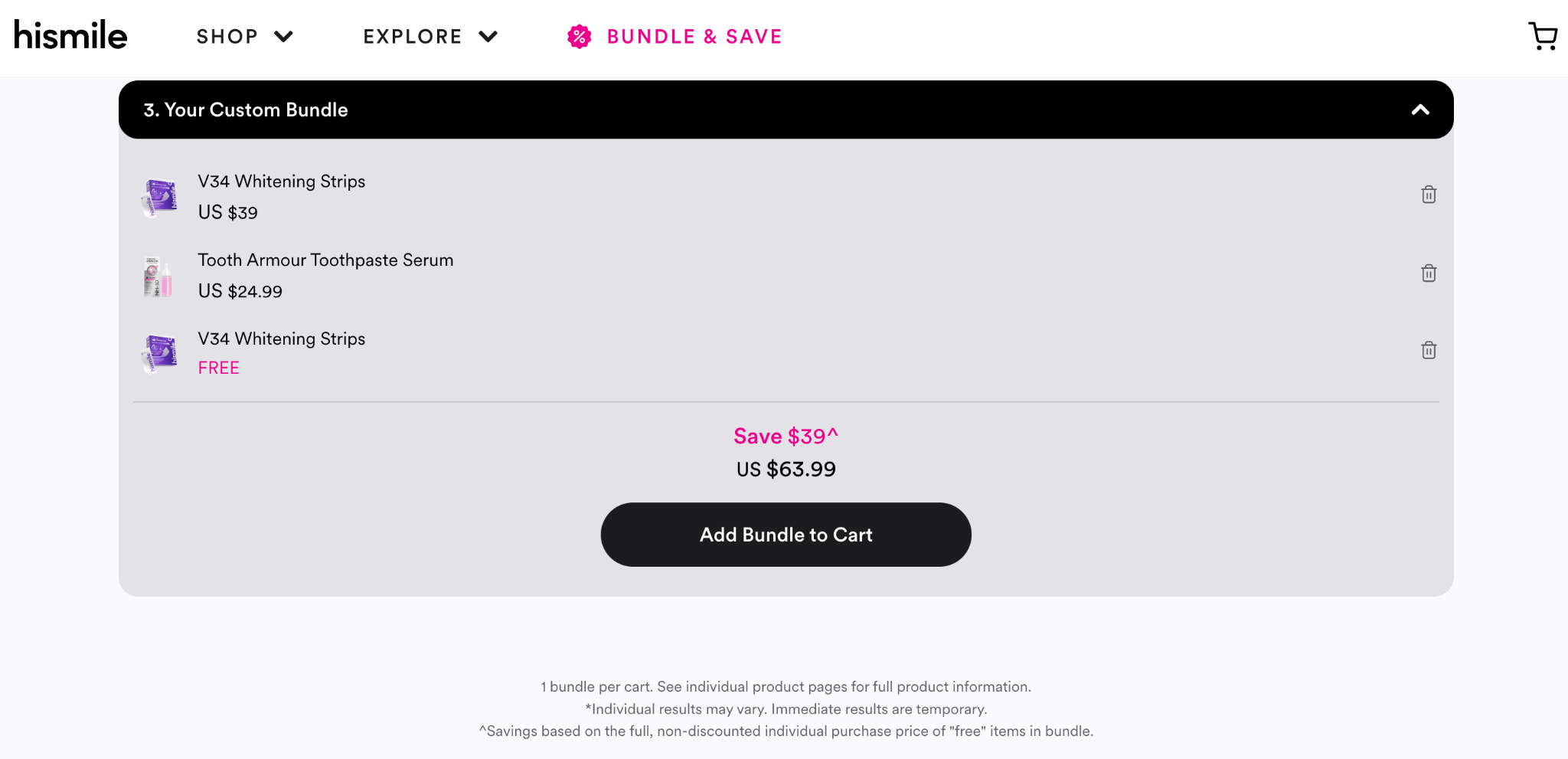
HiSmile, an Australian oral care brand, is documented in an official Shopify case study as generating over 80% of its orders from bundled products, a strategy the company credits with multiplying average cart size by roughly 4x.
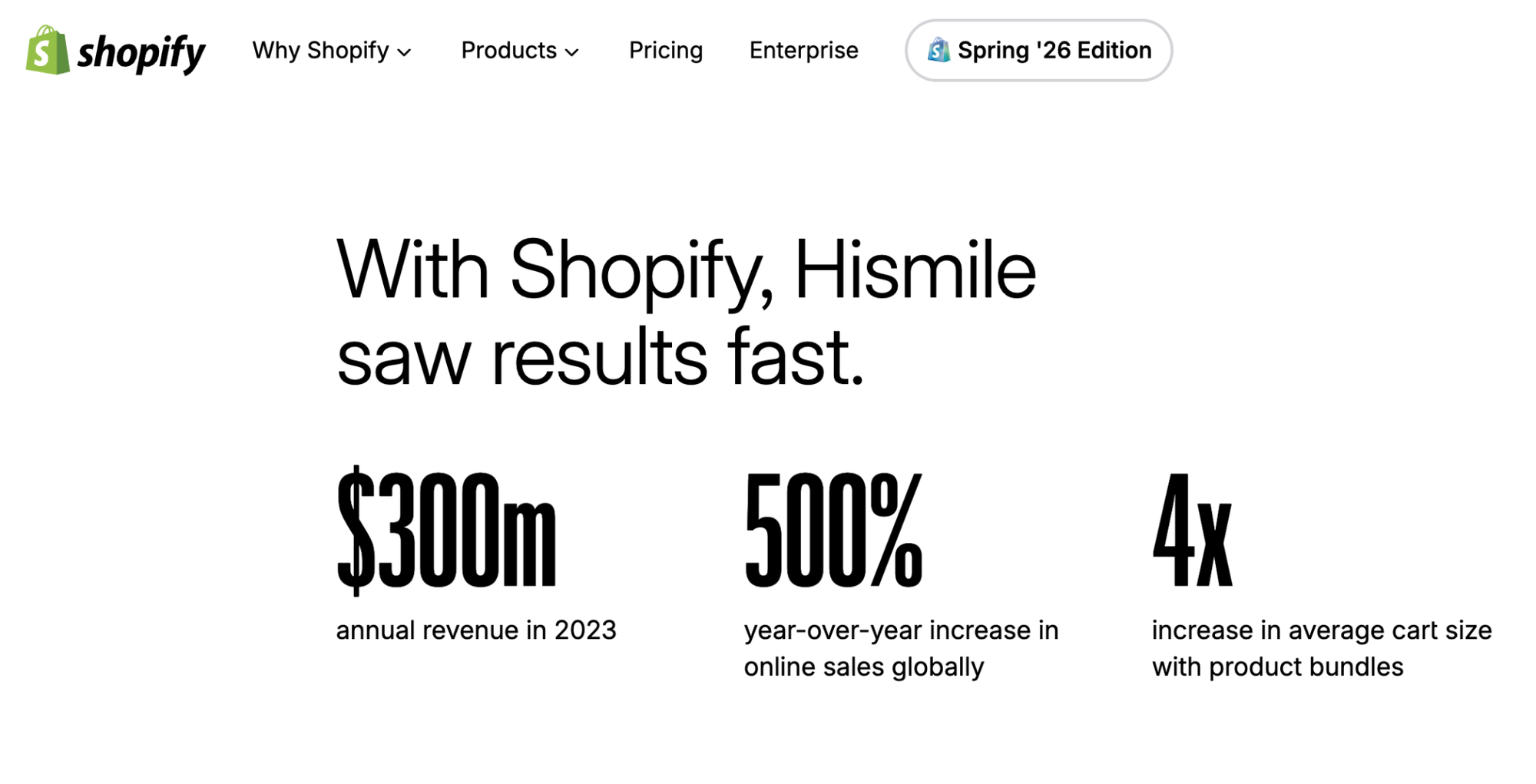
It's worth being precise here: not every one of HiSmile's bundles is a customer-built mix-and-match set; some are curated fixed bundles. Still, the scale of the result shows what a brand can do when bundling, in whichever form, becomes core to how the catalog is merchandised rather than a secondary feature bolted onto a handful of product pages.
3 LVLY: Bundles as the Core Product Line
LVLY, an Australian gifting brand, expanded from a cap of 30 bundle SKUs on its previous platform to more than 150 after moving to Shopify Plus, and reported a 6% year-over-year increase in average order value alongside that expansion.
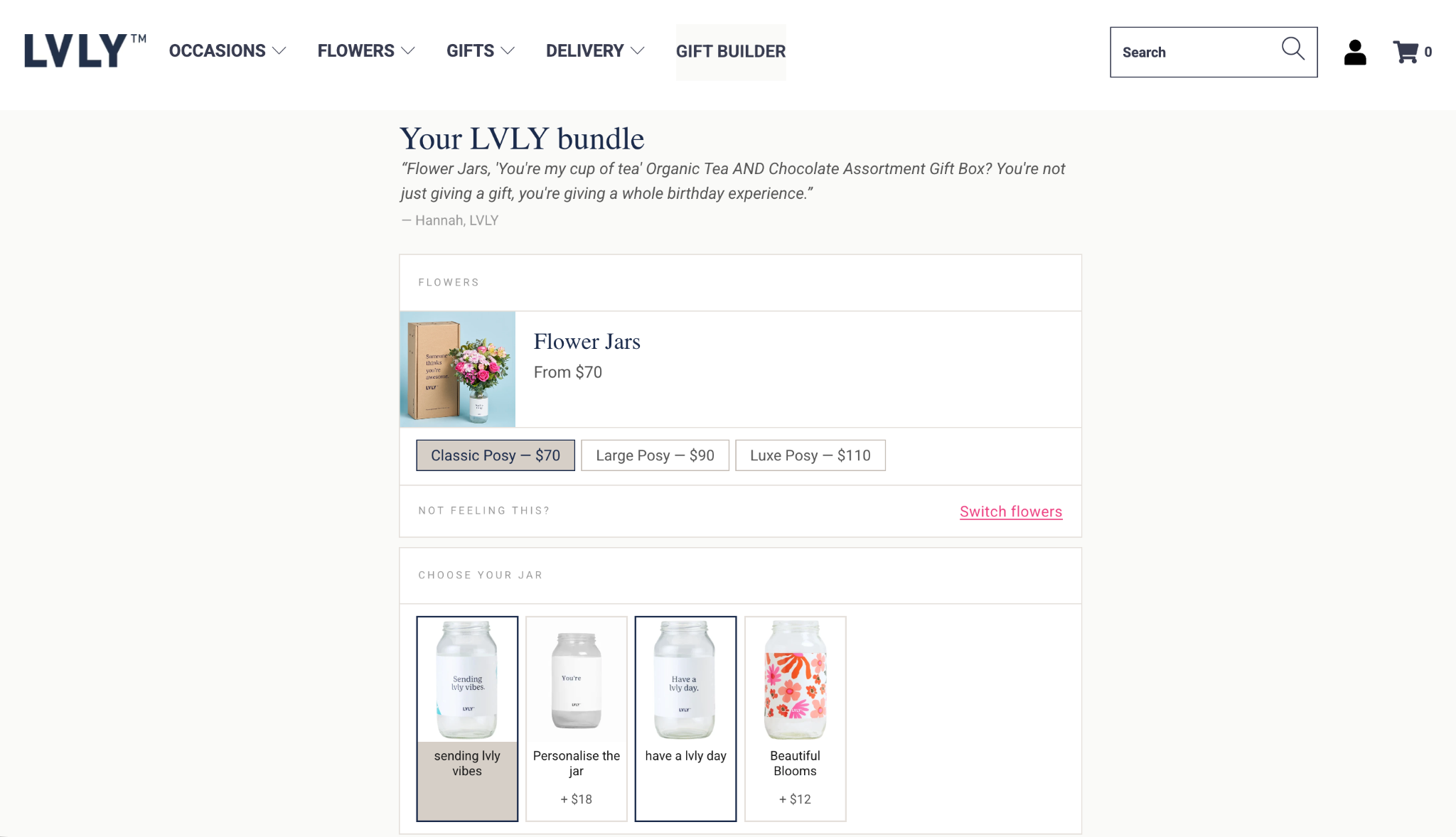
For a gifting brand, the bundle isn't an add-on to the product line; it effectively is the product line, which is a useful reframe for any merchant treating mix and match as a secondary feature rather than a primary merchandising strategy.
A Smaller-Scale Pattern Worth Noting: "Pick a Fixed Number"
Beyond these documented cases, a pattern that recurs across smaller specialty food and gifting brands is limiting the pool to a single fixed pick count rather than a range. For example, "pick any 6" rather than "pick 3 to 8". A single fixed count gives the builder a clean, predictable price and a simple progress indicator, "3 of 6 selected," which is easier for a shopper to track than an open-ended range.
|
Every example above curated the pool on purpose. Pumper Bundles is where you draw that line. Try Pumper Bundles for Free Explore Pumper Bundles 2 min setup · No code required · Free plan |
Choosing the Pricing Model for Mix and Match Bundles
There are two broad ways to price a mix and match bundle, and the choice affects both how easy it is for shoppers to evaluate and how easy it is for you to keep the math correct as your catalog changes.
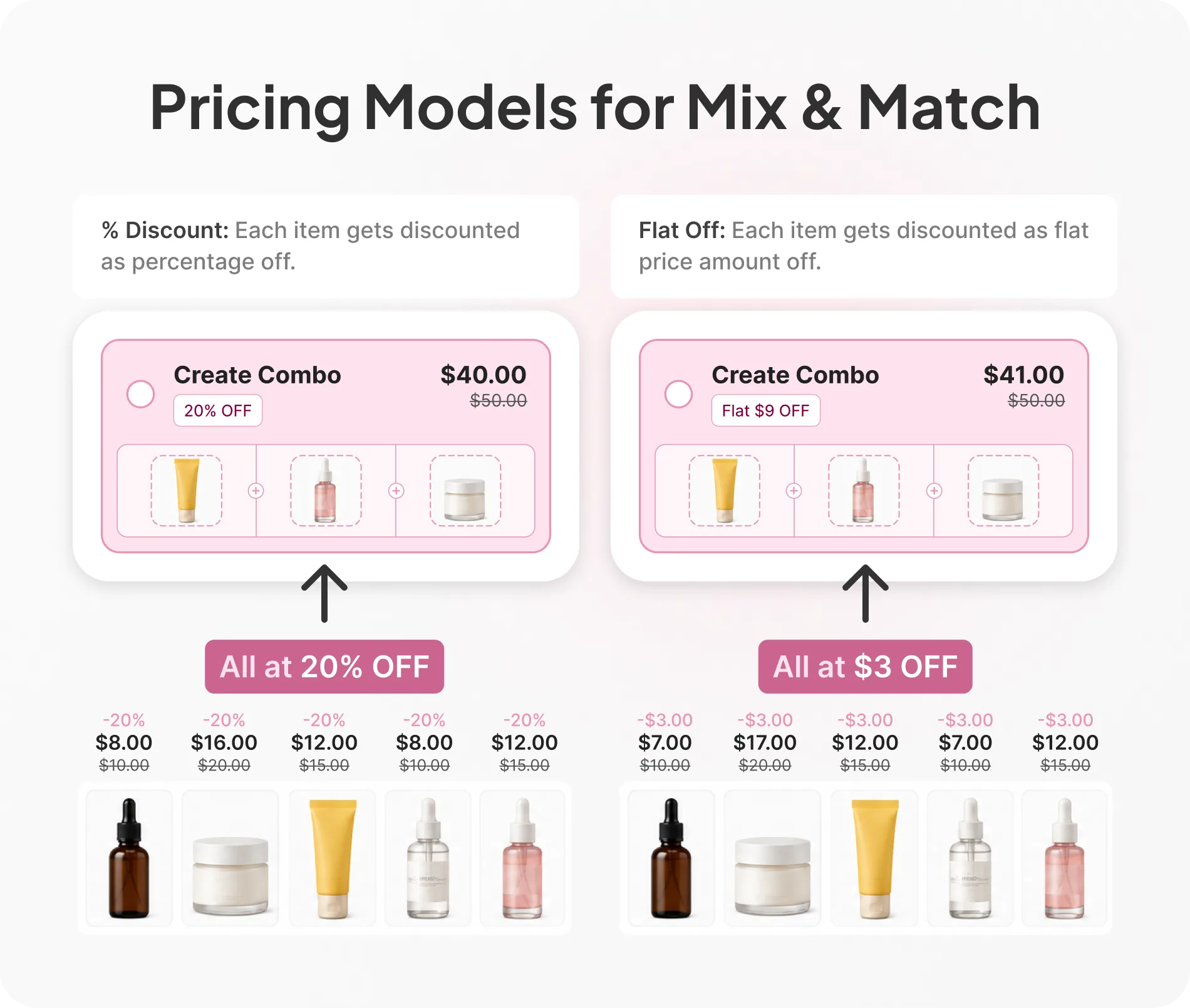
1. Fixed Bundle Price
The shopper picks their items, and the total is a single flat price regardless of which specific products they chose, "any 6 for $42." This is the easiest structure for a shopper to evaluate at a glance, and it works well when the items in the pool are priced similarly to begin with. It gets harder to manage if your pool includes items with meaningfully different costs, since a shopper who fills their box entirely with your highest-cost items is getting the same price as one who picks your cheapest.
2. Itemized Price With a Stacked Discount
Each item keeps its own price, and a discount (percentage or fixed amount) applies once the shopper hits the required pick count. This keeps your margin better aligned regardless of which combination a shopper builds, since higher-cost items still contribute more to the total before the discount applies. It's a slightly less clean number for the shopper to hold in their head, "6 items, 15% off the combined total," but it protects you from the margin risk a flat price carries when your pool has real cost variance.
A Worked Example: Pricing a Pet Treat Bundle
Say you sell individual bags of dog treats ranging from $9 to $14 depending on the recipe, with a pool of eight flavors in your mix-and-match builder; pick any 4.
With a fixed bundle price of $40 for any 4 bags, a shopper who picks four $14 bags is getting $56 of product for $40, a 29% effective discount. A shopper who picks four $9 bags is getting $36 of product for $40. That means you'd be charging more than the individual price for the cheaper combination, which would look like a broken deal on the page.
With an itemized 15% stacked discount instead, every combination gets the same proportional saving, and neither one ever prices above what the items would cost separately.
Combination picked | Individual total | Fixed price ($40) | Itemized 15% off | Fair to shopper? |
4 × $14 bags (highest-cost) | $56.00 | $40.00 (29% off) | $47.60 (15% off) | Both work |
4 × $9 bags (lowest-cost) | $36.00 | $40.00 (11% more than buying separately) | $30.60 (15% off) | Only itemized works |
This is the practical reason itemized pricing tends to win once a pool has more than a small amount of cost variance across items: a flat price only stays fair if every item in the pool is priced closely together to begin with.
How to Curate the Product Pool for Mix and Match Bundles?
Getting the pool right matters more than almost any other decision in a mix and match bundle.
1. Keep the Pool Tight
Per the choice research above, a pool in the 6-10 item range tends to feel abundant without becoming overwhelming. If your catalog is much larger than that, consider running multiple smaller bundles segmented by category or use case (a "breakfast" pool and a "snack" pool, for instance) rather than one enormous pool covering everything you sell.
2. Curate for What Sells, Not What's Slow-Moving
It's tempting to use a mix-and-match bundle as a release valve for products that aren't moving on their own. Resist that instinct for the core pool. A pool built from your actual bestsellers gives shoppers real, wanted choices, which is what the preference-fit research above says drives satisfaction with the final bundle. If you do want to introduce a slower-moving item, do it deliberately, as one option among mostly strong performers, not as the majority of the pool.
3. Set a Default or Suggested Selection
A blank builder asks a shopper to do all the work themselves. A pre-filled "suggested set" that a shopper can then customize, swapping out one or two items rather than building from zero, tends to lower the friction of getting started, particularly for a first-time visitor who doesn't yet have a strong opinion on your specific flavors, scents, or variants.
Outdoor safety kits use the same idea. A hiker checking a safety list already owns some of the items, so a kit that starts from the full list and lets them remove what they have avoids selling them a second headlamp. Our outdoor and camping playbook walks through it.
Setting Up a Mix and Match Bundle on Shopify
This section covers the configuration decisions specific to the mix and match mechanic itself:
- Define the pool explicitly, not by default: Choose the exact products eligible for the bundle rather than leaving it open to your full catalog, then revisit that list on a schedule as your catalog changes.
- Set a clear pick rule: Decide between a fixed count ("pick 6") or a range ("pick 3 to 8"), and keep the on-page copy specific about which one you're using so the shopper isn't guessing partway through.
- Choose your pricing model deliberately: You can do it using the cost-variance test from the section above, rather than defaulting to whichever is easier to set up.
- Show progress clearly: A visible counter, "4 of 6 selected," reduces the chance a shopper abandons the builder because they're unsure how much further they have to go.
- Decide how out-of-stock pool items are handled: A greyed-out, clearly unavailable item is far less frustrating than one that lets a shopper select it and only fails at checkout.
- Check your combination discount settings: It helps ensure a mix and match discount doesn't stack unexpectedly with a sitewide sale code running at the same time.
|
Pool, pick rules, pricing model. Pumper Bundles keeps all three decisions in one editor. Try Pumper Bundles for Free Explore Pumper Bundles 2 min setup · No code required · Free plan |
Common Mistakes That Undercut a Mix and Match Bundle
Opening the pool too wide. A "pick any 6 from our 80-product catalog" bundle isn't generous; it's the 24-jam display from the choice research above, dressed up as a feature. Narrow it.
Pricing that breaks down on certain combinations. A flat bundle price that ends up costing more than buying the same items individually, as in the pet treat example above, reads as a broken deal the moment a shopper notices, and some will notice.
No visible progress or confirmation. A builder that doesn't clearly show how many items are selected, or what happens next once the pool requirement is met, creates uncertainty at exactly the moment a shopper is deciding whether to keep going or abandon the page.
Treating the bundle as a clearance mechanism. Filling the pool mostly with slow-moving inventory undermines the preference-fit shoppers are looking for, and it tends to show up as a lower completion rate even if the bundle gets plenty of initial clicks.
Letting the pool go stale. A pool that still includes a discontinued flavor or an item that's been out of stock for two months signals that nobody's maintaining the page, which erodes trust in the offer even if the mechanic itself works fine.
Measuring Whether Your Mix and Match Bundle Is Working
AOV tells you the bundle-moved order size. It doesn't tell you whether the building experience itself is working or getting in the way.
- Bundle completion rate, meaning the share of shoppers who start selecting items and actually reach checkout with a completed bundle. A low completion rate against decent initial engagement usually points to the pool, the pick rule, or the pricing model, not a lack of interest in the concept.
- Pool item distribution, meaning which items in the pool actually get chosen versus which sit unused. An item nobody ever picks isn't earning its place in a curated pool, per the curation guidance above.
- Extra revenue relative to a single-item purchase of the same product category, so you're comparing the bundle's real lift against what a shopper would likely have bought otherwise, not treating every bundle order as pure incremental revenue.
Bundle completion rate specifically is worth tracking on its own, separate from your general offer analytics, since it's the one number in this list that's unique to a builder-style offer rather than shared with quantity breaks or fixed bundles.
|
Clicks without completions is a curation problem, not a traffic one. Pumper Bundles separates the two. Try Pumper Bundles for Free Explore Pumper Bundles 2 min setup · No code required · Free plan |
The Bottom Line
A mix and match bundle works best when it feels like a curated menu, not an open buffet. Keep the pool tight, price it so every combination a shopper could build still makes sense, and make the building process itself easy to follow from first click to checkout.
Start with one pool of 6-8 of your actual bestsellers, pick a pricing model that matches how much cost variance exists across them, and give the builder a full sales cycle before deciding whether the pool needs adjusting.
If you want the pool curation, pricing logic, and completion tracking handled in one place, Pumper Bundles is built specifically for this, backed by a 7-day free trial to test a pool against your own catalog.
Get started with your first mix and match offer!
Frequently Asked Questions
1. How many products should be in a mix and match pool?
A range of 6-10 items tends to work well for most catalogs, based on the choice research covered earlier in this guide. Fewer than 6 can start to feel restrictive; more than 10 or so starts trading real choice for decision fatigue, especially on mobile where scrolling through more options adds friction of its own.
2. Should I use a fixed bundle price or an itemized discount?
It depends on how much price variance exists across your pool. If every item costs roughly the same, a fixed price is simpler for shoppers to evaluate. If costs vary meaningfully, an itemized percentage discount protects you from the pricing inconsistencies shown in the worked example earlier in this guide.
3. Can a mix and match bundle work for a small catalog?
Yes, as long as the pool doesn't end up being your entire catalog by default. Even a catalog of 10-12 products can support a "pick any 4" bundle; the curation principle scales down; it just means the pool and the catalog largely overlap.
4. Does a mix and match bundle need a minimum order requirement?
Not necessarily, but a pick rule (a required count or range) functions similarly to one. If you want to encourage a larger bundle specifically, consider tiering the discount by pick count itself: a modest discount at the minimum pick count and a slightly better one at a higher count, rather than treating "any size bundle" as a single flat offer.
5. What's the biggest difference between a mix and match bundle and a fixed bundle?
Customer input. A fixed bundle is assembled entirely by the merchant with no selection involved; a mix and match bundle hands the specific combination to the shopper within a pool the merchant has already curated. The curation work is similar in both cases, but only one of them lets the shopper make the final call.