


The Shopify Volume Discount App
That Shows Savings Before
Customers Decide
Display tiered pricing directly on your product pages so customers see exactly what they save at every quantity level before they reach the cart. No discount codes. No hidden savings at checkout. No developer needed. Most brands are live in under two minutes.
Try Free



Trusted by Thousands of Growing Stores



Set Up Volume Discounts in Under 2 Minutes
Create your offer
Set your discount type, define the quantity tiers, and choose the savings at each level. Pick percentage off, flat discount, or fixed per-unit price.
Pick your product and design
Select the products or collections the offer applies to and customize the widget to match your store theme. No code required.
Publish your offer
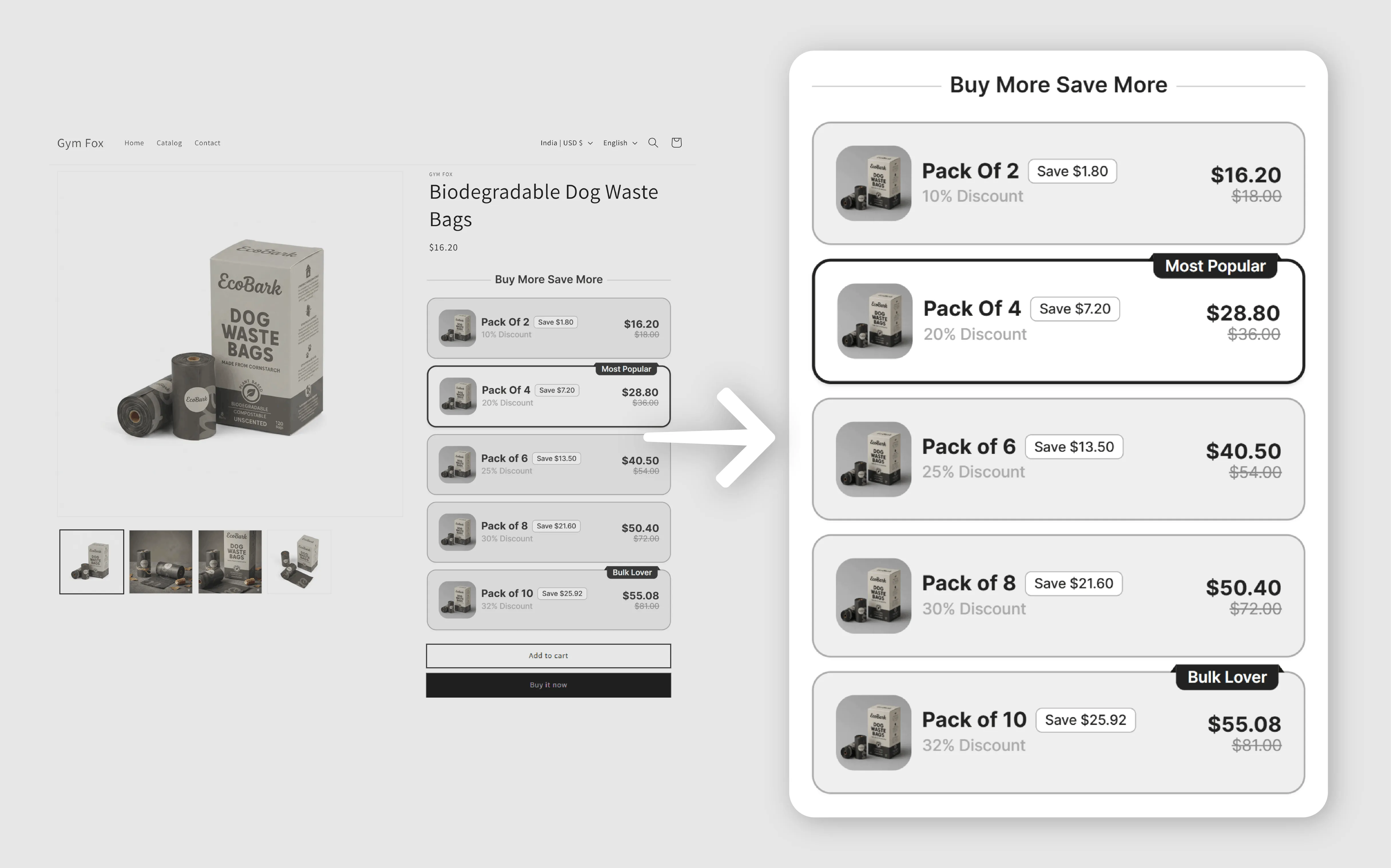
It goes live above the Add-to-Cart button, showing a full tiered pricing table so customers know exactly what they save before they add anything to cart.
Why Shopify Brands Choose Profit Pumper as Their Volume Discount App
Tiered pricing displayed on the product page
Shopify's native discounts appear only at checkout, often too late. Profit Pumper shows your full volume discount table on the product page, letting shoppers see savings and upgrade to the next tier instantly.
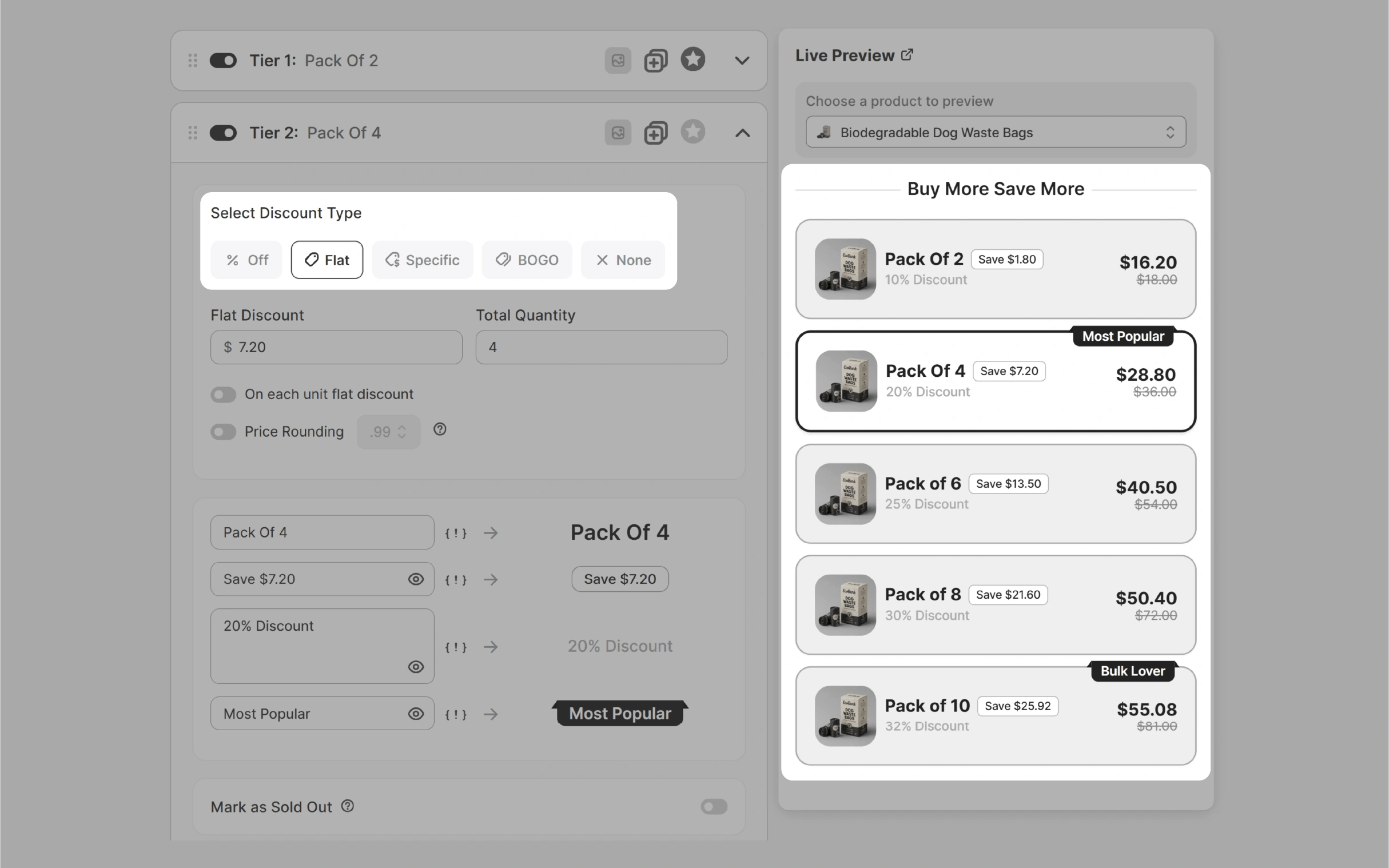
Flexible discount structures across any product or collection
Run percentage, fixed, or per-unit discounts on specific products, collections, or your full catalog. Combine volume discounts with BOGO or free gifts, all in one app, no extra installs required.
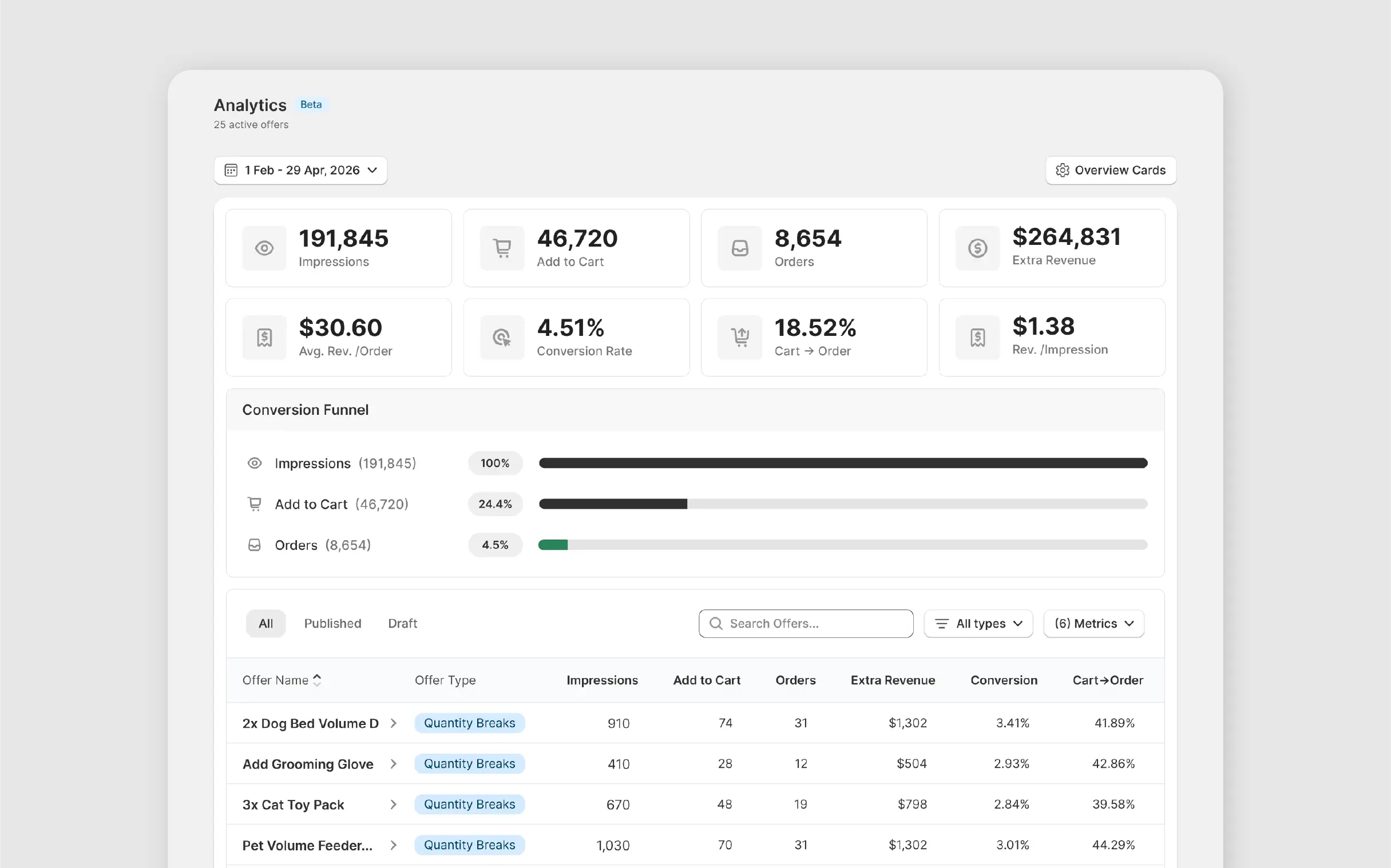
Revenue tracked per offer, not just per day
Every discount tier includes built-in attribution. See which levels drive AOV, track customer engagement, and adjust offers before underperforming discounts reduce sales.
Works with your existing Shopify setup
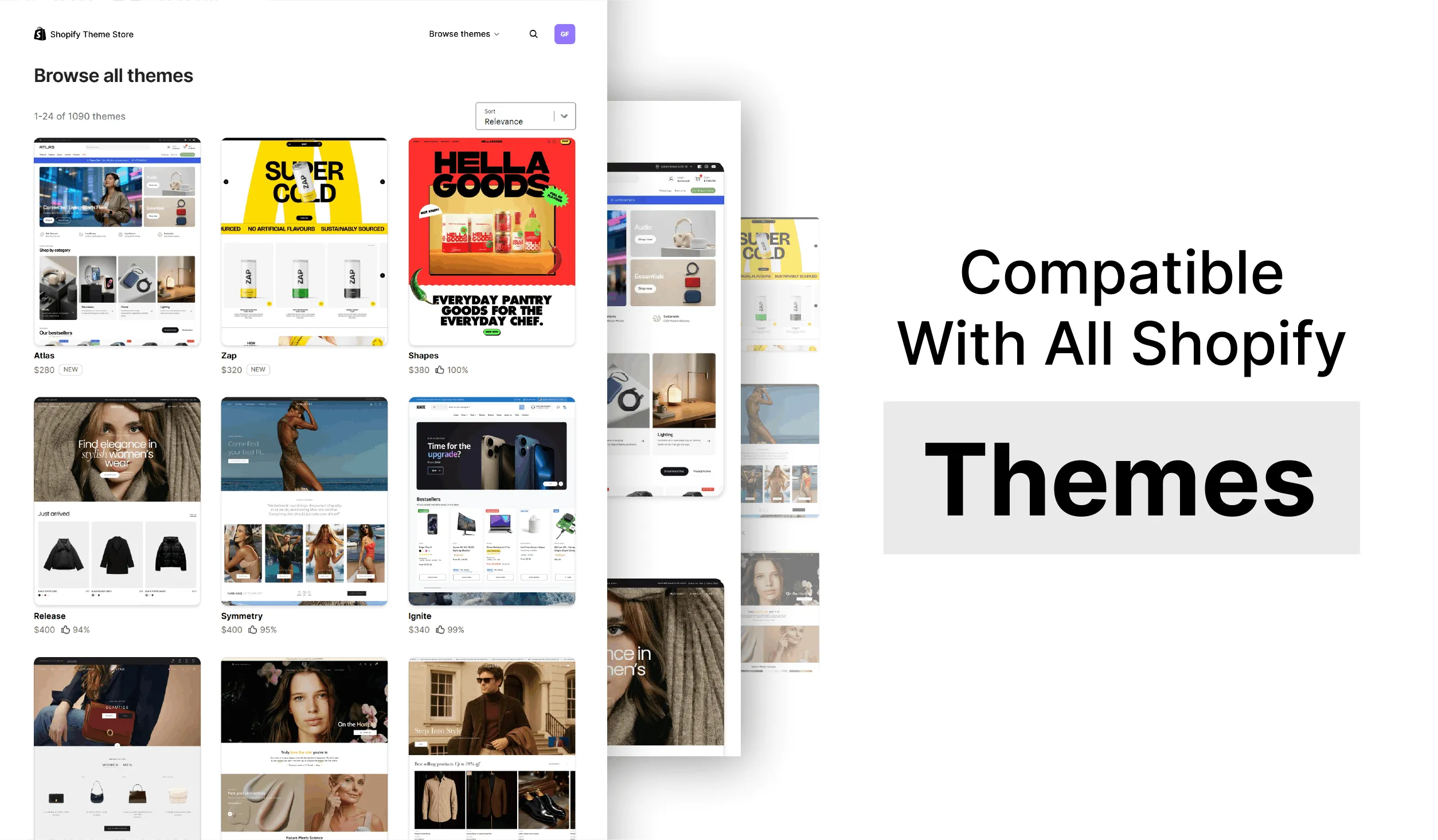
Compatible with 150+ Shopify themes, cart drawers, GemPages, and PageFly. Go live with volume discounts in minutes, no coding, no developer tickets, no storefront rebuild required.
From solo stores to 8-figure brands, teams trust Profit Pumper to grow their revenue.
Consistently rated 4.9 stars on the Shopify App Store for ease of use and reliability.
Install, pick a template, configure your offer, and go live. No coding or developers needed.
What Brands Have Done With Profit Pumper
Not projections. Actual numbers from brands running tiered pricing and quantity breaks.
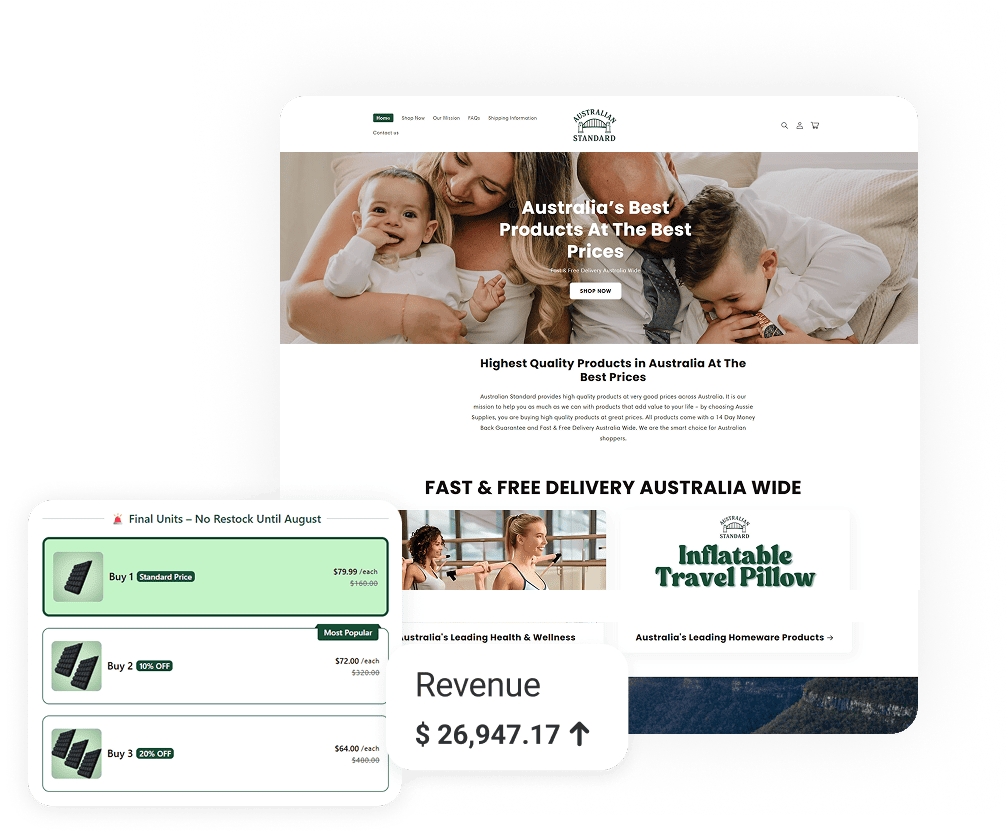

Australian Standard ran tiered volume offers and extracted a 65% AOV lift, $7,829 in new revenue from the same traffic.
Know more ↗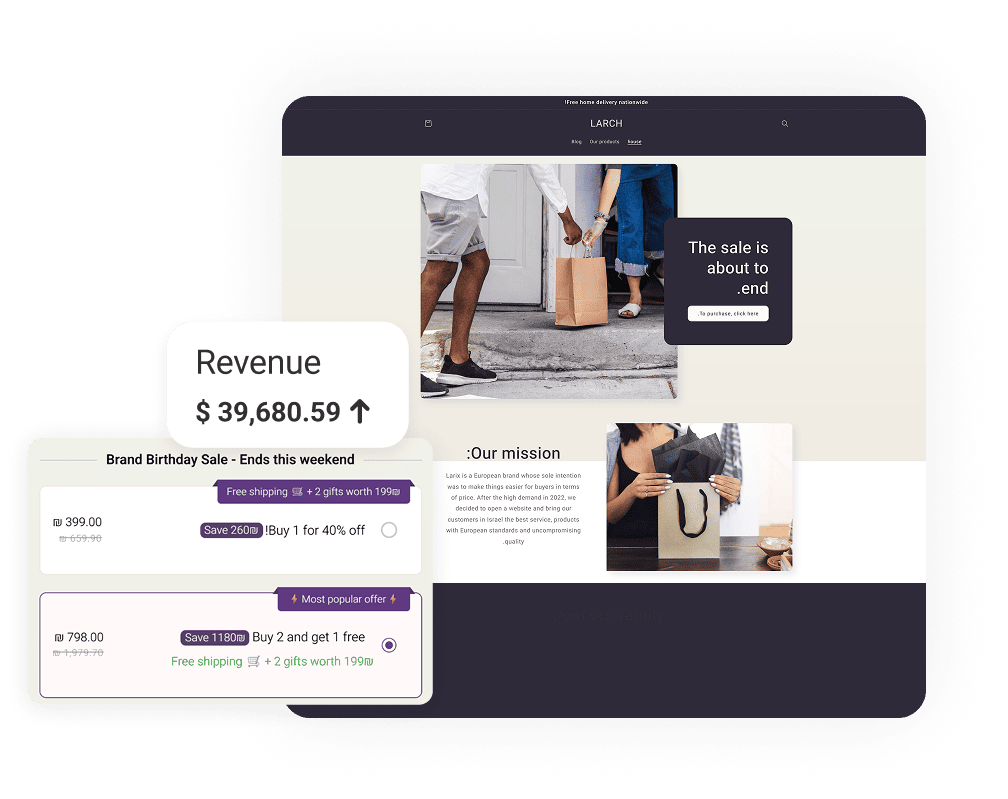

Larix engineered quantity break tiers that drove 60% higher AOV, $8,245 in additional monthly value.
Know more ↗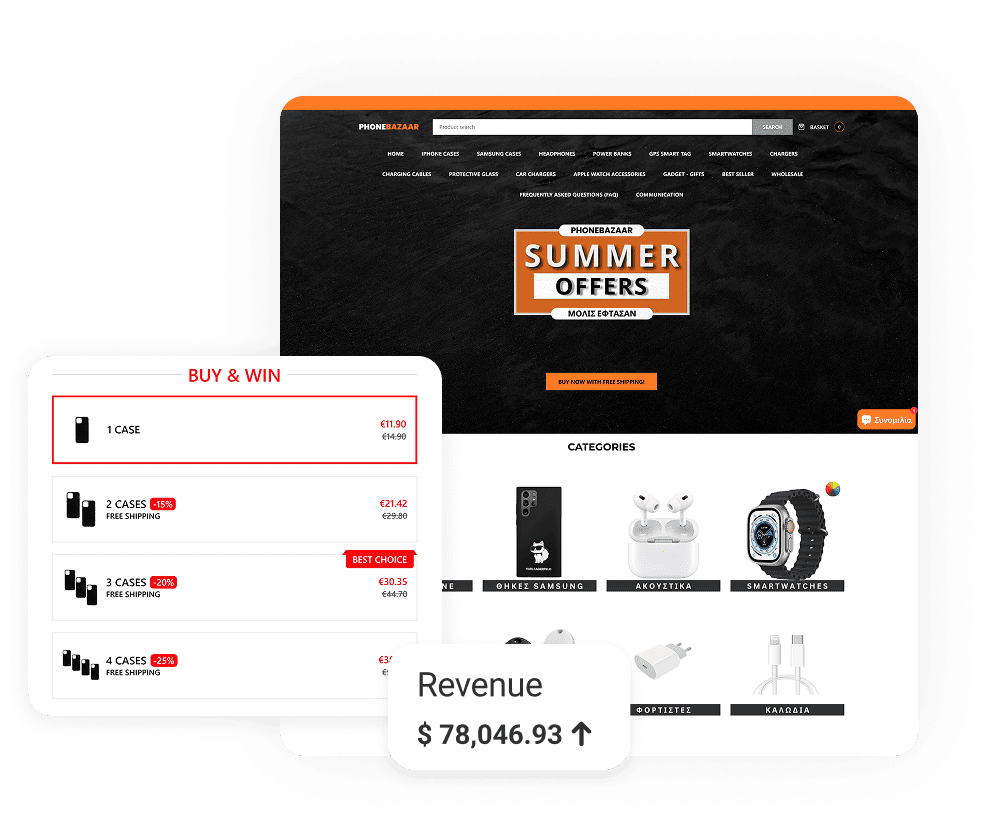

PhoneBazaar deployed quantity breaks across accessories and kits, $19,938 pulled from the same traffic, 30% AOV lift.
Know more ↗What Changes When You Run Volume Discounts with Profit Pumper
Tiered pricing visibility
Discount management
Revenue tracking
Frequently Asked Questions
What is a Shopify volume discount app?
A volume discount app lets you display tiered pricing on product pages so customers see their savings at each quantity level before checkout. Profit Pumper applies the discount automatically, no codes needed.
Does Shopify have a built-in volume discount feature?
Shopify's native volume pricing is restricted to Plus plan merchants and only shows savings at checkout. A dedicated volume discount app displays the full tier table on the product page, where the buying decision actually happens.
Can I run volume discounts alongside other offer types?
Yes. Run volume discounts on one product while running BOGO offers or free gift thresholds on others, all from one dashboard. No conflicts between active offers.
What discount types can I create?
Percentage-off per tier, fixed amount off per unit, and flat per-unit pricing. Apply any structure to a specific product, a collection, or your full catalog.
Which product categories work best with volume discounts?
Consumables perform strongest. Supplements, coffee, skincare, pet food, and household goods all convert well because customers already plan to reorder. Showing the per-unit savings gives them a clear reason to stock up now instead of coming back later.
Do customers need a discount code to get the volume price?
No. Profit Pumper applies volume discounts automatically when the quantity threshold is met. Customers do not need to enter anything at checkout.
Can I set different tier structures for different products?
Yes. Each product or collection can have its own tier depth, discount type, and threshold. Run a three-tier structure on a bestseller and a two-tier structure on a slower SKU at the same time.
Will it work with my Shopify theme?
Yes. Compatible with 150+ Shopify themes, cart drawers, PageFly, and GemPages. No CSS overrides required.
How do I know which discount tiers are actually working?
Profit Pumper's dashboard shows revenue attributed to each active volume discount offer. You see which tiers customers hit most and where the structure needs adjustment.
How much does Profit Pumper cost?
Profit Pumper has a free plan (up to $300 extra revenue) and paid tiers at $9.99, $29.99, and $49.99/month, with a 14-day full-access free trial. See pricing for details.
Start Showing Savings That Drive Sales
Help shoppers see tiered discounts right where they decide, on the product page. Launch your first volume discount in under two minutes with no credit card required and watch average order value grow.
Try Free