


The Quantity Breaks and Discounts App
That Turns Single Orders Into
Bigger Orders
Show tiered pricing directly on your product pages and reward customers for buying more. No discount codes. No manual setup for every tier. No developer needed. Most Brands are live with their first quantity break offer in under two minutes.
Try Free






Set Up Quantity Breaks in Under 2 Minutes
Create your offer
Choose your discount type, set your quantity tiers, and define the savings at each level. Percentage off, flat discount, or fixed price per unit.
Pick your product and design
Select which products the offer applies to and customize the widget to match your store theme without touching any code.
Publish your offer
It goes live on your product page above the Add-to-Cart button, showing customers exactly what they save at each quantity tier.
Why Use Profit Pumper for Quantity Breaks and Discounts
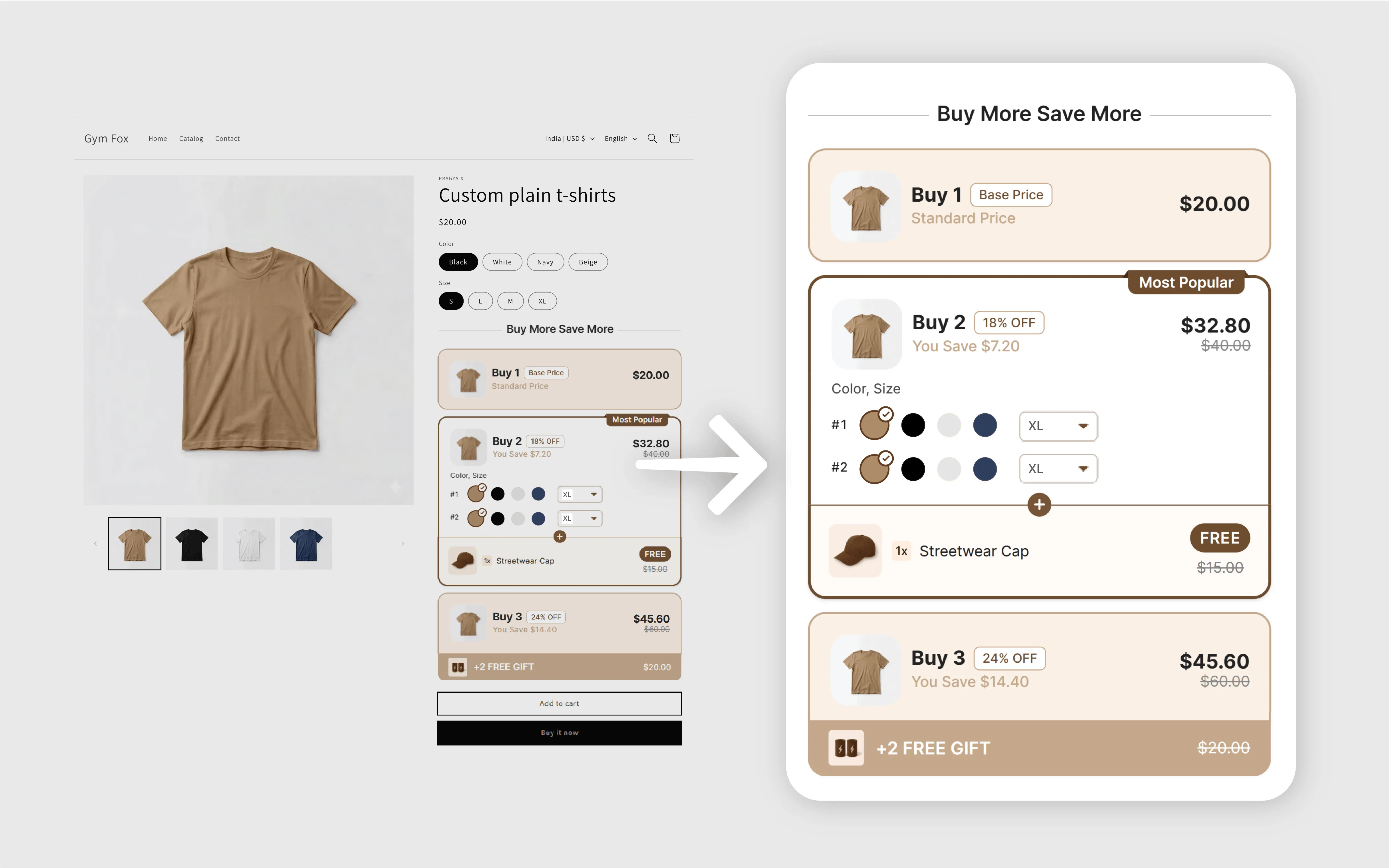
Tiered discounts that show savings before checkout
Profit Pumper displays full quantity break savings directly on the product page, letting customers see discounts upfront and encouraging larger orders before adding items to their cart.
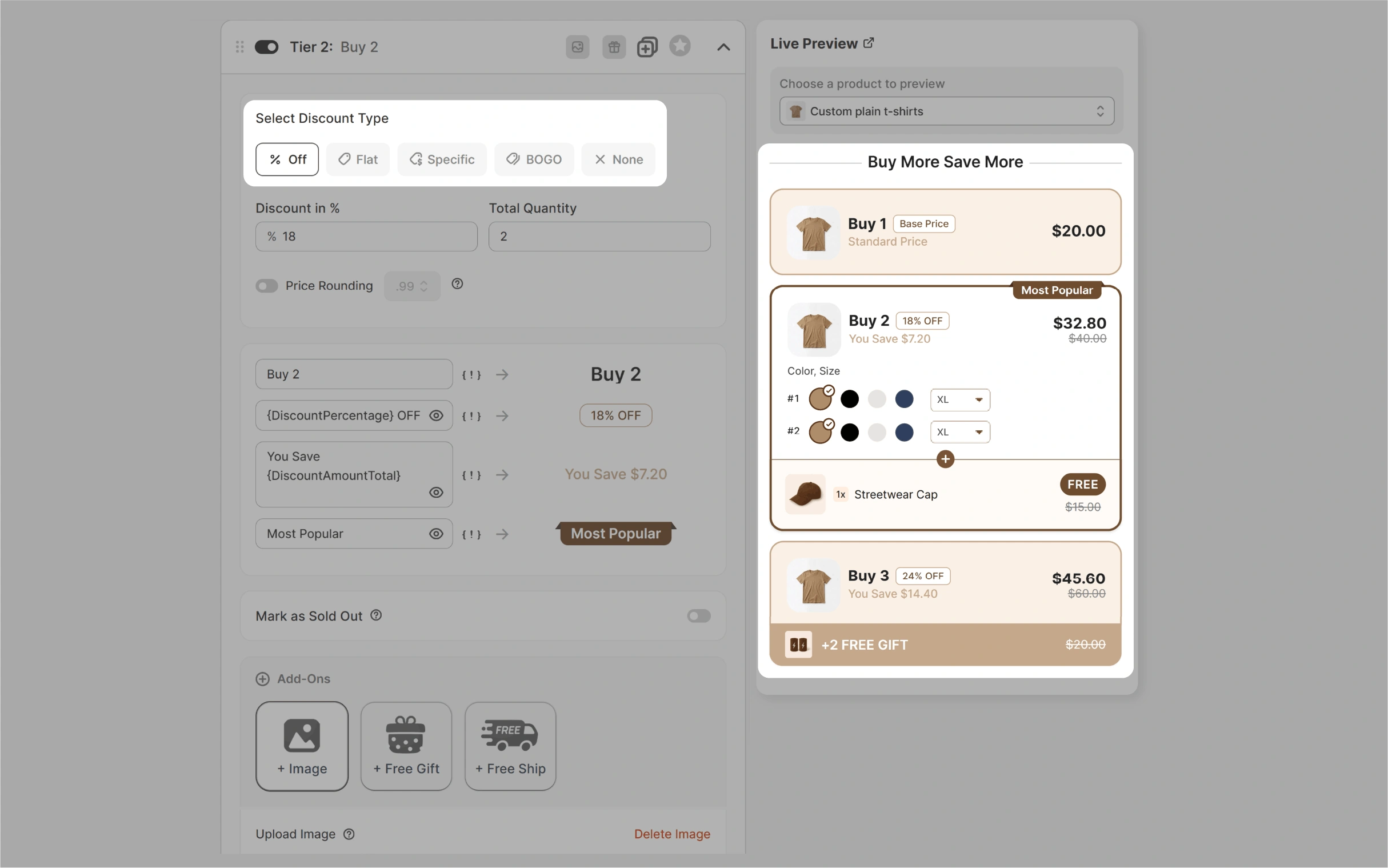
Multiple discount structures in one place
Set percentage-off tiers, fixed discounts, or per-unit pricing across products, collections, or your entire catalog. Combine with BOGO or free gift offers from one dashboard.
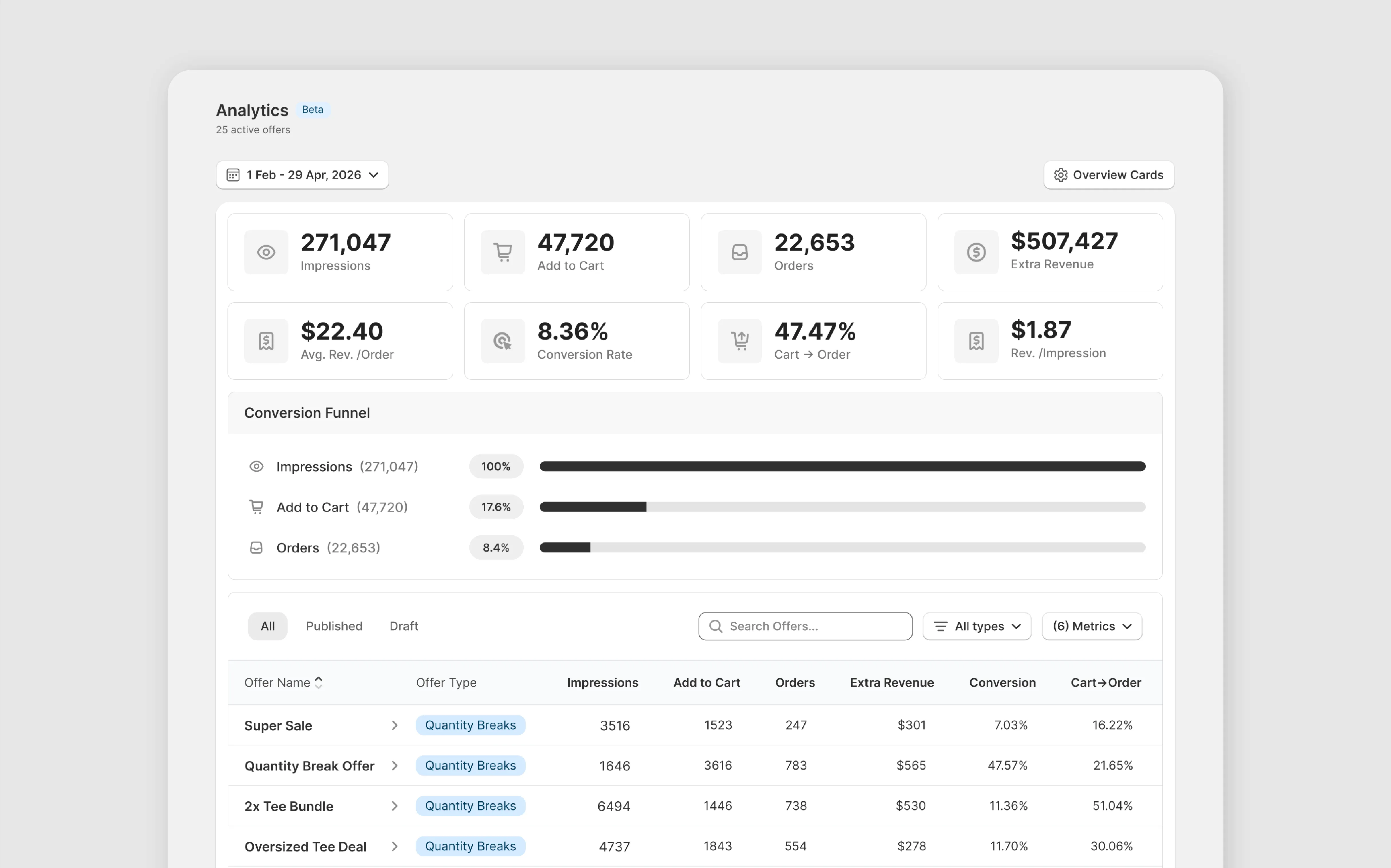
Revenue tracked per offer
Each quantity break tracks performance, showing which tiers customers reach, which discounts boost AOV, and where to adjust to prevent lost sales from ineffective offers.
Works with your existing Shopify setup
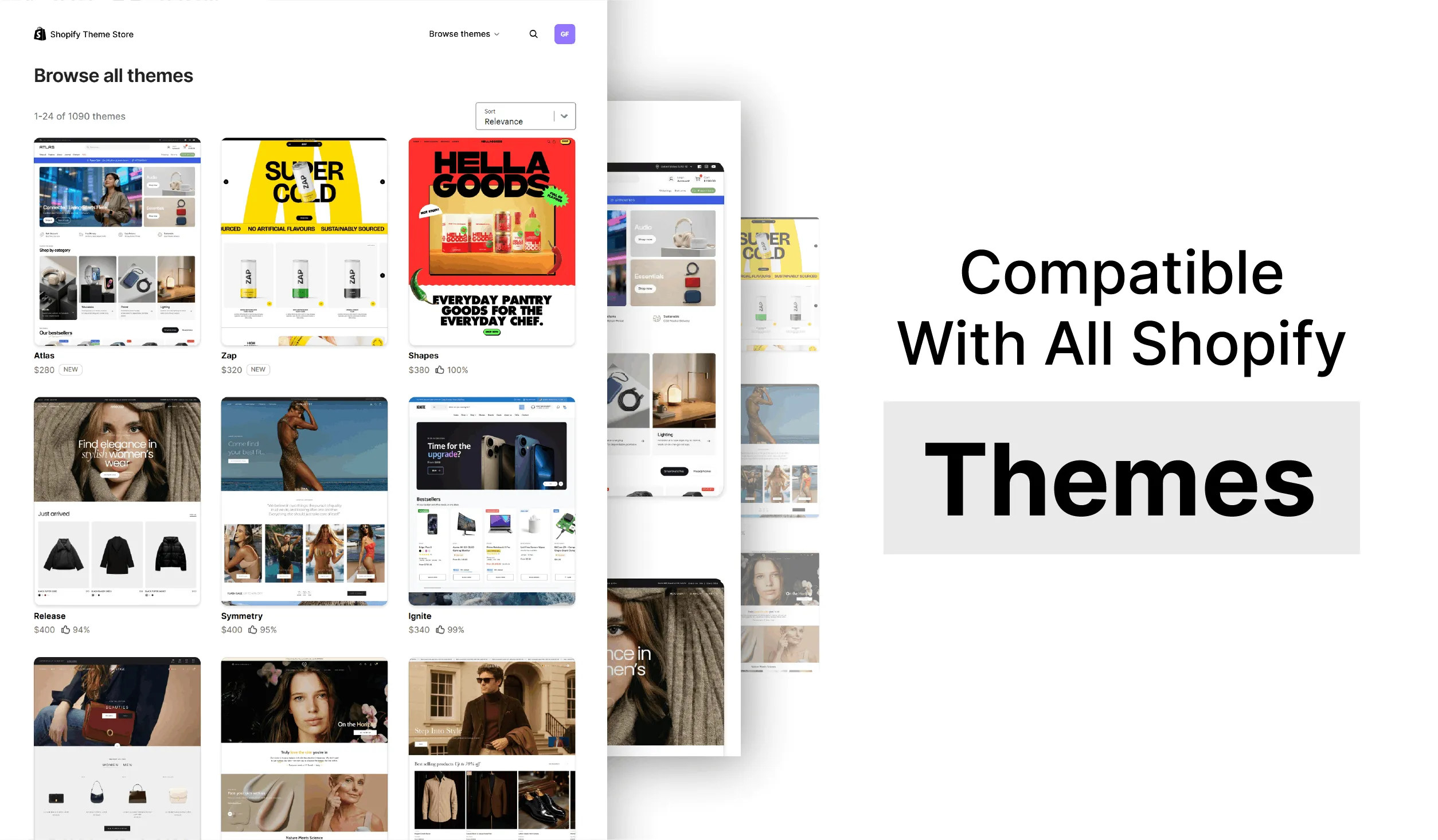
Compatible with 150+ Shopify themes, cart drawers, GemPages, and PageFly. No rebuilding your storefront, no developer required. Go from install to live quantity break offer in about two minutes.
From solo stores to 8-figure brands, teams trust Profit Pumper to grow their revenue.
Consistently rated 4.9 stars on the Shopify App Store for ease of use and reliability.
Install, pick a template, configure your offer, and go live — no coding or developers needed.
Quantity Breaks. Measured Lift.
Not projections. Actual numbers from Brands running quantity breaks and bundle offers at scale.
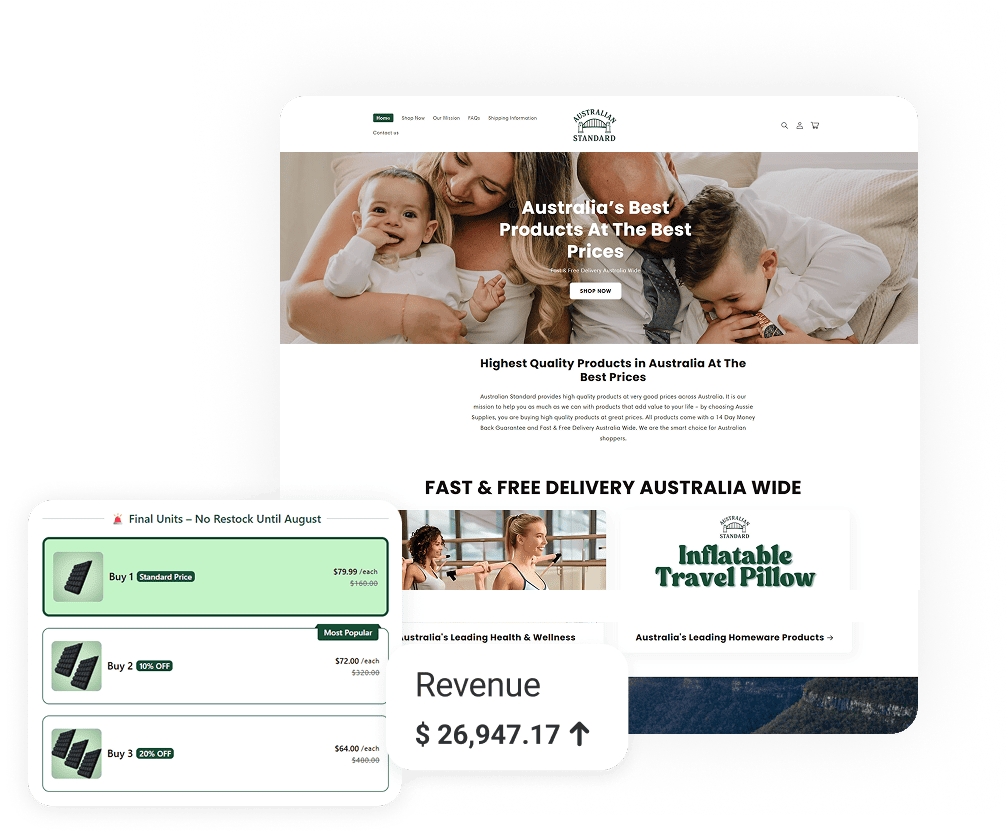

Australian Standard ran quantity break bundles that lifted AOV by 65% and pulled $7,829 in new revenue from the same traffic.
Know more ↗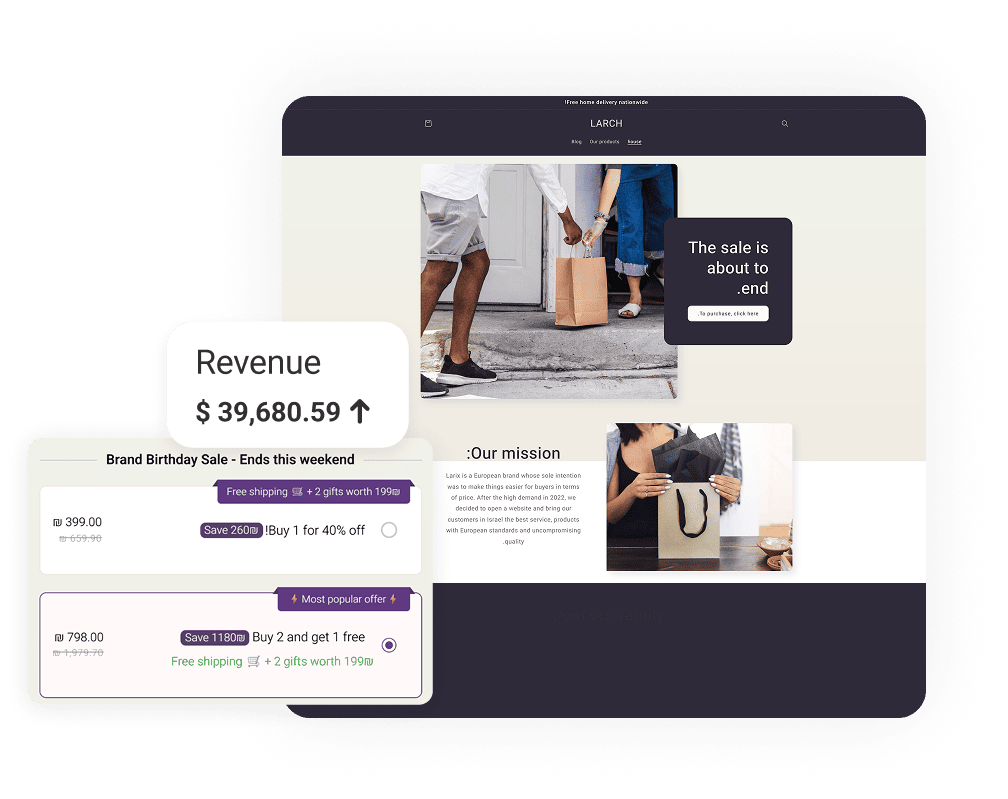

Larix deployed tiered quantity breaks that drove 60% higher AOV — $8,245 in additional monthly value.
Know more ↗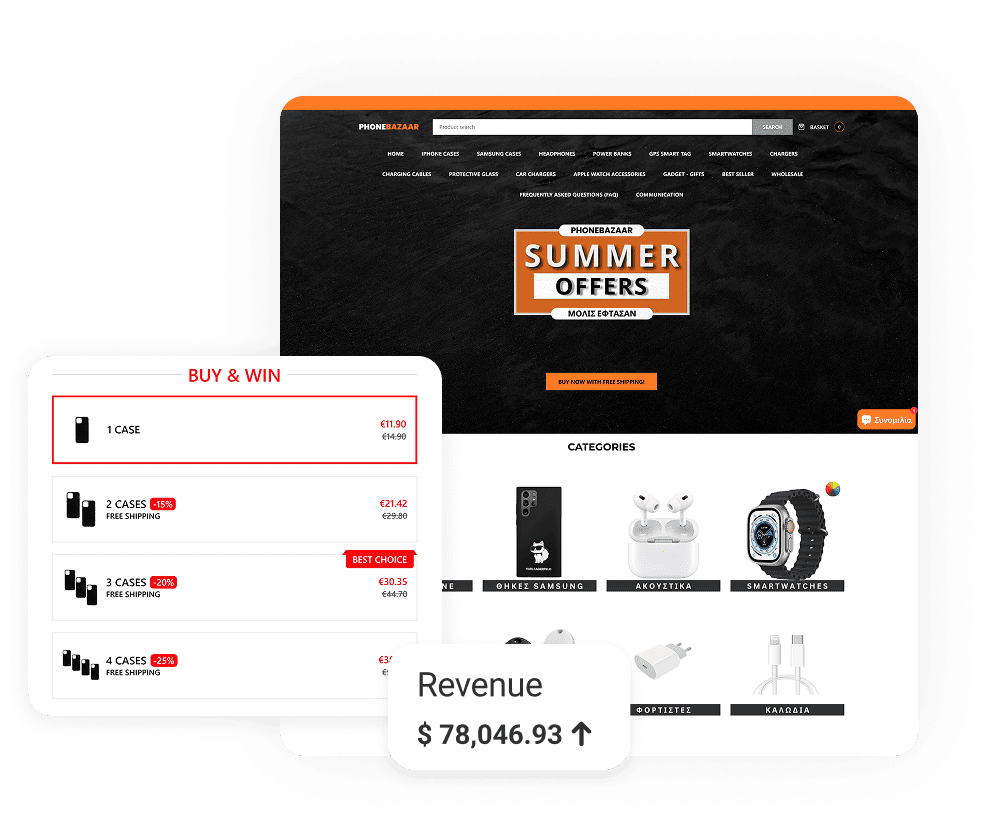

PhoneBazaar ran quantity breaks across accessories — $19,938 pulled from the same traffic, 30% AOV lift.
Know more ↗What Changes When You Run Quantity Breaks with Profit Pumper
Frequently Asked Questions
What is a quantity breaks and discounts app for Shopify?
A quantity breaks and discounts app lets you offer tiered pricing on your product pages so customers automatically receive a discount when they buy a set number of units. Profit Pumper displays the full discount table on the product page, showing savings before customers reach the cart.
Does Shopify have a built-in quantity breaks feature?
Shopify's native volume pricing is limited to Shopify Plus and only shows the discount at checkout. Most Brands on standard plans need a dedicated app to run quantity breaks and display tiered pricing directly on product pages where buying decisions are made.
What types of quantity discounts can I create?
Percentage-off tiers, fixed amount discounts per unit, and flat per-unit pricing. You can apply these across a specific product, a collection, or your full catalog.
Which product categories work best with quantity breaks?
Consumables perform strongest because customers naturally reorder. Supplements, coffee, skincare, pet food, and household goods all convert well with tiered pricing because buyers are already motivated to stock up. Showing the per-unit savings makes the decision easier.
Can I run quantity breaks alongside other offer types?
Yes. Run quantity breaks on one product while running BOGO offers or free gifts on others, all from one dashboard with no conflicts between active offers.
Do discount codes conflict with quantity break offers?
Profit Pumper applies quantity break discounts automatically. Customers do not need a discount code, which removes checkout friction and reduces the chance of orders where the discount goes unclaimed.
Can I control which products or collections the offer applies to?
Yes. Apply quantity breaks to a specific product, a specific collection, or your entire catalog. Each offer can have its own tier structure and discount depth.
Do I need a developer to set it up?
No. Install from the Shopify App Store, configure your tiers, and publish. The widget renders natively on your product page. Most Brands are live in under two minutes.
Will it work with my existing Shopify theme?
Yes. Compatible with 150+ Shopify themes, cart drawers, PageFly, and GemPages. No CSS overrides or developer involvement required.
How much does Profit Pumper cost?
Profit Pumper has a free plan (up to $300 extra revenue) and paid tiers at $9.99, $29.99, and $49.99/month, with a 14-day full-access free trial.
Turn Browsers Into Bigger Orders Today
Boost average order value with smart quantity breaks, volume discounts, and bundle offers that work right on your product pages. Get started in minutes with no credit card required.
Try Free